

|


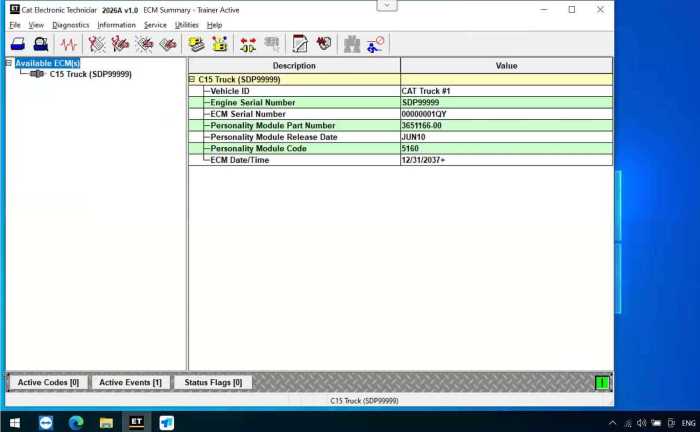

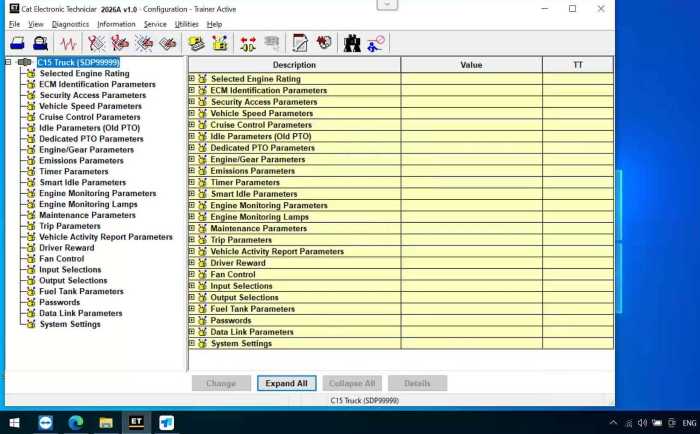
Caterpillar CAT ET 2026A Version Software Remote Installation with One Free Activation


-
- Product Name: Caterpillar CAT ET 2026A Version Software Remote Installation with One Free Activation
- Item NO.: 29443523
- Weight: 0 kg = 0.0000 lb = 0.0000 oz
- Category: ALL CATEGORIES > Diagnostic Software Update
- Creation Time: 2026-08-28
Caterpillar machines and engines rely heavily on electronic control systems, so having the right diagnostic software can make troubleshooting much easier. Caterpillar ET 2026A Software (cat et 2026A v1.0) is the latest version of Caterpillar Electronic Technician software described in this product release, replacing earlier versions such as CAT ET 2025A and 2019C.
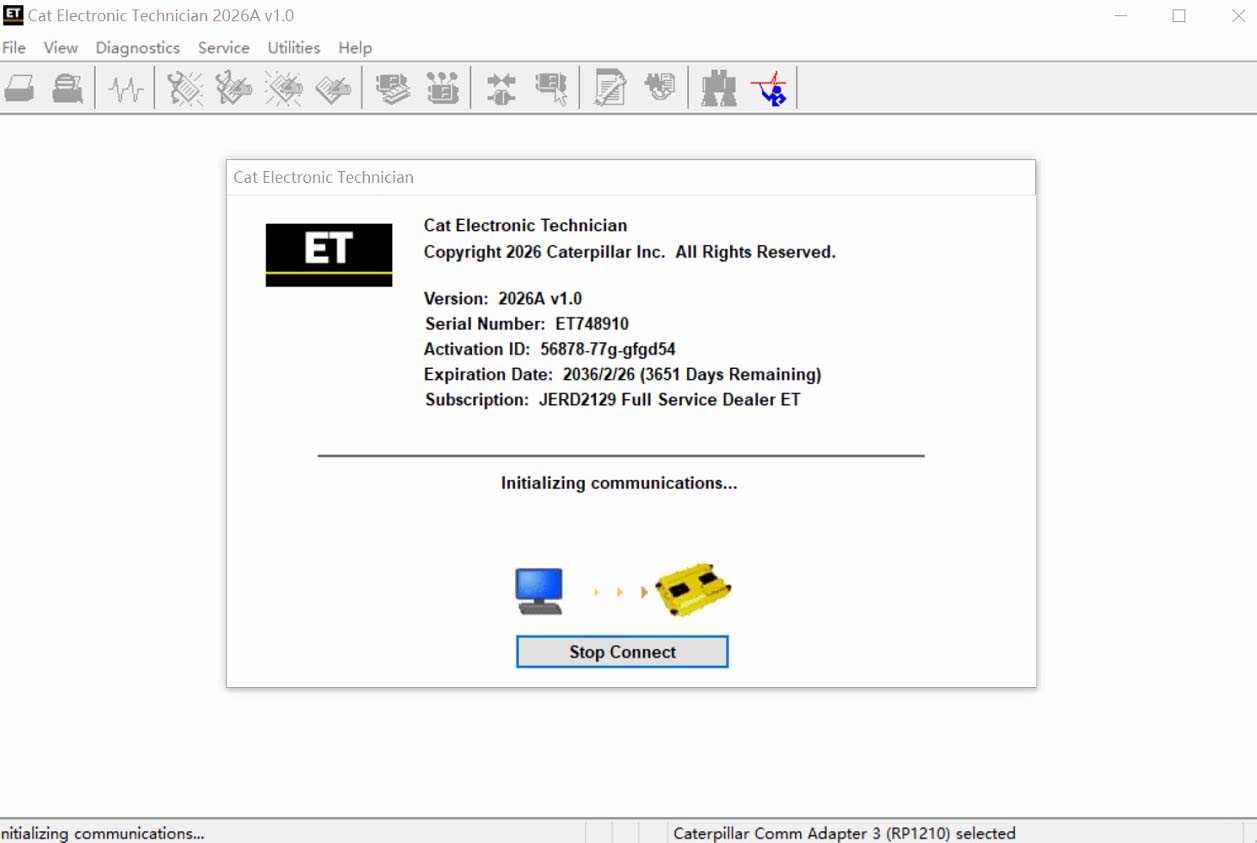
The software is designed for technicians who need to connect a Windows PC to Caterpillar electronic control modules (ECMs), check machine information, diagnose faults, and perform service-related operations. With support for multiple languages and Caterpillar's communication hardware, it can be used across a wide range of CAT equipment and engines.
What Is Caterpillar ET 2026A Software?
Caterpillar ET 2026A Software is a PC-based diagnostic application for electronically controlled Caterpillar engines and machines. The software communicates with the vehicle or machine's Electronic Control Module through a compatible diagnostic communication adapter.
For professional technicians, one of the main advantages is that many diagnostic tasks can be handled directly from a Windows laptop rather than relying on a dedicated diagnostic display.
Caterpillar Electronic Technician Main Functions
Caterpillar ET can be used to access electronic information from compatible Caterpillar equipment. Depending on the machine, ECM, and connected communication hardware, typical service operations can include:
- Reading and reviewing diagnostic information
- Connecting to Caterpillar ECMs
- Viewing machine and engine information
- Checking electronic system status
- Performing service-related diagnostic procedures
- Working with Product Status Reports
- Supporting WinFlash-related operations
- Configuring certain ECM options
- Accessing supported trainer applications
The exact functions available depend on the connected Caterpillar model and ECM configuration.
What's New in Caterpillar ET 2026A?
The 2026A release does not introduce major new diagnostic features according to the supplied release information. However, the Trainer application has received additional equipment updates.
Trainer Update – 140-16 Motor Grader
The 140-16 Motor Grader has been added to the Trainer application, giving users another Caterpillar machine platform for training and familiarization.
Trainer Update – 627 Wheel Tractor-Scraper
The 627 Wheel Tractor-Scraper has also been added to the Trainer application.
No Significant New Feature Enhancements
Compared with previous versions, the 2026A release is described as having no significant new features or feature enhancements. Its primary value is therefore maintaining the current Caterpillar ET software environment and compatibility for supported service work.
Caterpillar ET 2026A Supported Languages
One useful feature for international workshops is multilingual support.
Available Languages
Caterpillar ET 2026A supports:
- English
- Chinese
- Danish
- French
- German
- Italian
- Japanese
- Portuguese
- Russian
- Spanish
This makes the software more practical for technicians working in different regions.
Supported Caterpillar Machines and Engines
One of the strongest points of Caterpillar ET 2026A Software is its broad equipment coverage.
Supported Engine Categories
The supplied compatibility information includes:
- Electric Power
- Electric Power Generation
- Industrial
- Marine Power Systems
- Oil and Gas
Supported Caterpillar Machine Categories
The software can support a wide range of Caterpillar equipment, including:
- Articulated Trucks
- Asphalt Pavers
- Backhoe Loaders
- Cold Planers
- Compactors
- Dozers
- Drills
- Excavators
- Feller Bunchers
- Forest Machines
- Forwarders
- Harvesters
- Hydraulic Mining Shovels
- Knuckleboom Loaders
- Material Handlers
- Motor Graders
- Off-Highway Trucks
- Pipelayers
- Road Reclaimers
- Site Prep Tractors
- Skid Steer and Compact Track Loaders
- Skidders
- Telehandlers
- Track Loaders
- Underground equipment
- Utility Vehicles
- Wheel Dozers
- Wheel Excavators
- Wheel Loaders
- Wheel Tractor-Scrapers
Actual diagnostic coverage can vary according to the machine model, ECM, communication adapter, and software configuration.
Caterpillar ET 2026A PC Requirements
Before installing the software, it is important to make sure the Windows computer meets the recommended requirements.
Supported Operating Systems
The supplied requirements list support for:
- Windows 8/8.1 32-bit
- Windows 8/8.1 64-bit
- Windows 10 32-bit
- Windows 10 64-bit
- Windows 11 64-bit
- Windows 11 Pro 64-bit
Windows 8 RT is not supported.
Recommended Computer Configuration
For better performance, the recommended configuration includes:
- 2.0 GHz dual-core processor
- 4 GB RAM
- At least 5 GB available hard disk space
- 12-inch or larger display
- Windows-compatible desktop system
- USB 1.1, 2.0, 3.0, or 3.1 port
- Ethernet RJ45 connection or Wi-Fi adapter
- Mouse or built-in pointing device
A computer meeting only the minimum requirements may run the software, but a more capable PC is preferable when the diagnostic workstation will be used regularly.
ARM-Based Windows Laptops Are Not Supported
One important compatibility limitation is that laptops using ARM processors are not supported. This includes systems based on processors such as Snapdragon 8cx and Microsoft's SQ1.
For this reason, technicians should verify the computer's processor architecture before installation.
Communication Adapter Requirements
Caterpillar ET software needs suitable communication hardware to communicate with the machine's ECM.
Caterpillar Communication Adapter III
The Caterpillar Communication Adapter III can be configured as the communication interface device for CAT ET.
The adapter provides the connection between the Windows PC and the Caterpillar machine, allowing the software to communicate with supported electronic control modules.
How to Configure Communication Adapter 3
After starting Caterpillar ET, the basic configuration procedure is:
Step 1: Start Caterpillar ET
Launch the Caterpillar Electronic Technician software on the Windows PC.
Step 2: Open Preferences
Select the Utilities menu and then choose Preferences > Modify.
Step 3: Select Communications
Open the Communications tab.
Step 4: Select the Adapter
Choose Cat Comm Adapter 3 (RP1210) as the Communication Interface Device and confirm the setting.
Step 5: Enable Dual Datalink Service
The supplied information notes that Enable Dual Datalink Service is pre-selected because an increasing number of products require multiple data-link service.
If a supported ECM requires multiple data links, disabling this option can result in undetected ECMs and reduced functionality.
Important Changes from Earlier CAT ET Versions
Although Caterpillar ET 2026A is the latest version described here, several improvements introduced in previous releases remain relevant when comparing versions.
Automatic Product Status Report Upload
Earlier 2024C updates introduced automatic Product Status Report uploading. The service tool can scan for newly generated reports and upload them when an internet connection becomes available.
Users can disable automatic uploading through the Preferences dialog.
ECM Naming Improvements
Certain ECMs can communicate with the service tool over two data links. When only one link is detected, the software can identify the ECM as INCOMPLETE.
This helps technicians recognize that the ECM connection may not be fully established.
Product Status Report Improvements
Product Status Reports were updated to include additional history information supported by the ECM, including items such as after-treatment regeneration history and service test history.
Users can also configure the service tool to save Product Status Reports as PDF files while continuing to save XML reports.
WinFlash Interface Update
The WinFlash screen was updated with Expand All and Collapse All functions, making it easier to view information from ECMs detected by WinFlash.
Caterpillar ET 2026A Installation
The supplied product information describes a remote installation and activation process.
One-Time Installation and Activation
The package is described as including one free activation, with remote installation intended for one time on one PC.
After purchase, the software provider instructs the customer to contact them for remote installation.
Installation Preparation
Before installation, make sure:
- The Windows system meets the requirements.
- The PC is not ARM-based.
- Sufficient storage space is available.
- Required communication hardware is ready.
- The necessary USB, Ethernet, or Wi-Fi connection is available.
- The computer has administrator privileges when required for troubleshooting or installation.
Because activation terms can vary by supplier, buyers should confirm the current activation and installation conditions before purchase.
Common Caterpillar ET Software Problems
Like other Windows-based diagnostic applications, CAT ET can sometimes encounter installation or licensing problems.
Missing DLL or Runtime Errors
Some installations may display errors involving files such as
mfc140u.dllor the Universal C Runtime.These problems can be related to Microsoft Visual C++ runtime components and may require administrator privileges to resolve.
License Problems After Windows Updates
The supplied documentation specifically mentions license corruption associated with certain older Windows 10 updates.
If CAT ET reports a license-related error after a Windows update, the recommended approach is to follow the appropriate troubleshooting procedure rather than repeatedly reinstalling the software.
Who Should Use Caterpillar ET 2026A?
Caterpillar ET 2026A Software is primarily suited to technicians and workshops working with electronically controlled Caterpillar equipment.
It can be particularly useful for:
- Heavy equipment repair shops
- Construction equipment technicians
- Mining equipment service teams
- Caterpillar engine technicians
- Fleet maintenance departments
- Agricultural and industrial equipment service personnel
- Training environments using the Trainer application
For occasional users, however, it is important to check equipment compatibility and communication adapter requirements before investing in the software.
Caterpillar ET 2026A vs. Older Versions
The main reason to consider the 2026A release is to stay with the latest software version in this product series rather than continuing to use older CAT ET releases.
Feature Caterpillar ET 2026A Software type Caterpillar Electronic Technician Release 2026A Languages 10 languages Windows 10 Supported Windows 11 Supported ARM Windows PCs Not supported CAT Comm Adapter III Supported Product Status Reports Supported WinFlash Supported Trainer updates 140-16 Motor Grader, 627 Wheel Tractor-Scraper Activation One free activation according to supplied product terms Frequently Asked Questions
What is Caterpillar ET 2026A Software?
Caterpillar ET 2026A Software is a Windows-based diagnostic application designed to communicate with electronic control modules on supported Caterpillar engines and machines.
Does CAT ET 2026A support Windows 11?
Yes. The supplied specifications list Windows 11 64-bit and Windows 11 Pro 64-bit as supported operating systems.
Can CAT ET 2026A run on an ARM laptop?
No. The supplied information states that ARM CPU laptops, including systems using Snapdragon 8cx or Microsoft SQ1 processors, are not supported.
What communication adapter is recommended?
The supplied information specifically references the Caterpillar Communication Adapter III. CAT ET can be configured to use it as the communication interface through the Preferences menu.
Does Caterpillar ET 2026A support multiple languages?
Yes. The software supports English, Chinese, Danish, French, German, Italian, Japanese, Portuguese, Russian, and Spanish.
Does CAT ET 2026A include WinFlash?
The supplied product information describes Caterpillar Electronic Technician with WinFlash functionality and includes updates to the WinFlash interface in earlier releases.
Is Caterpillar ET 2026A suitable for all CAT machines?
Not necessarily. Compatibility depends on the specific Caterpillar machine, engine, ECM, communication hardware, and software support. Users should verify the exact model before installation or purchase.
Final Thoughts
Caterpillar ET 2026A Software is a practical diagnostic solution for technicians working with electronically controlled Caterpillar engines and heavy equipment. Its broad machine coverage, multilingual interface, Windows 10/11 compatibility, Trainer updates, Product Status Report functions, and support for Caterpillar Communication Adapter III make it suitable for professional service environments.
The 2026A release does not introduce major new diagnostic features, but it keeps the CAT ET platform current while adding Trainer support for the 140-16 Motor Grader and 627 Wheel Tractor-Scraper. Before installation, users should pay particular attention to the Windows version, processor architecture, available storage, communication adapter, and activation conditions.
For anyone searching for Caterpillar ET 2026A Software, the most important step is to confirm compatibility with the exact Caterpillar machine and ECM being serviced before proceeding with installation.
You May Also Like
-
 Newest Autocom 2021.11 and Delphi 2021.10b Hot ...US$ 10.20 US$ 12.00
 -
 2025.03 C4 Software For Mb Star C4 New SSD For ...US$ 89.10 US$ 99.00
 -
-
 TIS Techstream 18.00.008 software Activate Code...US$ 9.90 US$ 15.00
 -
 2025 Consult 3 Ⅲ Plus V241 Diagnostic Software ...US$ 80.10 US$ 89.00
 -
 Newest Full Software Xentry Vediam/DTS /WIS EPC...US$ 89.10 US$ 99.00
 -
 MEDC17 EGPT PINOUT TOOL v1.4 BOSCH ECU Pinout W...US$ 21.51 US$ 23.90
 -

Recently Viewed
-
 Obd Diagnostic Cable Module S1279 Interface for...US$ 35.10 US$ 39.00
 -
 CAN Test Box OBD2 Breakout Box and Protocol Det...US$ 89.10 US$ 99.00
 -
 JLR Mangoose SDD V164 Auto Diagnostic ScabTool...US$ 62.91 US$ 69.90
 -
 Cummins Inpower Pro Diagnostic Scanner V14.5 In...US$ 719.10 US$ 799.00
 -
 ECU Probe Programming Bracke Solderless Solutio...US$ 62.10 US$ 69.00
 -
 AIKKEY K3 OBD Key Programmer Review: CAN FD Sup...US$ 170.10 US$ 189.00
- Company Info
- Feedback
- Customer Reviews
- About Us
- Contact Us
- News
- User Center
- Forget Password
- My Orders
- Tracking Order
- My Account
- Register
- Payment & Shipping
- Customs & Taxes
- Locations We Ship To
- Shipping Methods
- Payment Methods
- Company Policies
- Return Policy
- Privacy Policy
- Terms of Use
Customer Reviews