

|


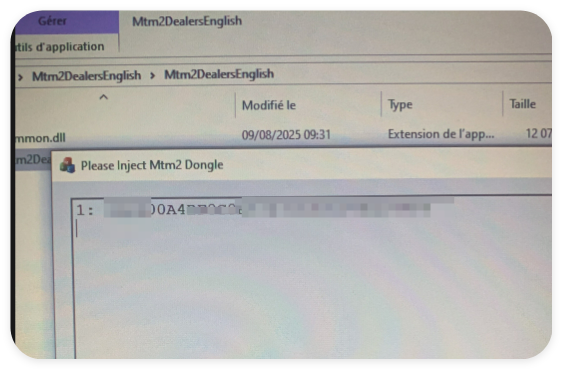

MTM CAN2 ECU Programmer for EEPROM & Micro Read Write via OBD BOOT and BENCH Mode


-
- Product Name: MTM CAN2 ECU Programmer for EEPROM & Micro Read Write via OBD BOOT and BENCH Mode
- Item NO.: 29488630
- Weight: 1 kg = 2.2046 lb = 35.2740 oz
- Category: ECU-Chip-Tuning
- Creation Time: 2026-09-14
What Is MTM CAN2 ECU Programmer?
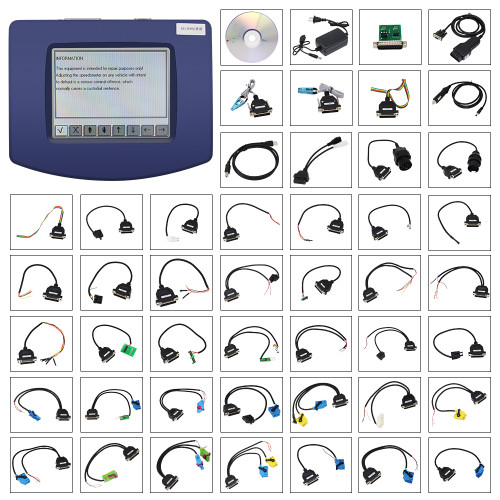
The MTM CAN2 ECU Programmer is a professional automotive programming tool designed for reading and writing EEPROM and Microcontroller data through multiple connection methods, including OBD, BOOT, and BENCH modes.
Developed for ECU repair, programming, data recovery, and configuration work, MTM CAN2 provides a flexible solution for technicians who need direct access to different vehicle control modules. Instead of being limited to engine ECUs, the tool also supports applications involving ABS, SRS, ADAS, Body/BSI, Cluster, EPS, and other electronic control units.
The current software version is V9.2.0.0, and the tool is designed as a standalone master device with no annual subscription fee.
Key Features of MTM CAN2
MTM CAN2 combines several useful functions into one ECU programming platform.
EEPROM and Micro Read/Write
The tool can read and write EEPROM and Micro data through supported OBD, BOOT, and BENCH procedures. This makes it suitable for different ECU access requirements depending on the vehicle and control unit.
Checksum Correction
Before writing modified or repaired data, MTM CAN2 can perform checksum correction where supported. This helps technicians prepare data correctly before programming it back to the ECU.
Multiple ECU Programming Modes
The three main connection modes give technicians more flexibility:
- OBD Mode for supported ECUs without removing the unit
- BOOT Mode for supported ECU programming procedures requiring boot-level access
- BENCH Mode for ECU work after removing the control unit from the vehicle
No Annual Fee
MTM CAN2 is offered without an annual software subscription fee. This can make it a practical option for workshops that regularly perform ECU programming and repair operations.
Standalone Master Tool
MTM CAN2 works as a standalone tool and operates as a master-level programming solution, rather than depending on another diagnostic platform for its core programming functions.
MTM CAN2 OBD, BOOT and BENCH Modes Explained
One of the main advantages of MTM CAN2 is its support for different ECU connection methods.
OBD Mode
OBD programming allows technicians to communicate with compatible control units through the vehicle's diagnostic socket.
For supported ECUs, this method can avoid removing the control unit from the vehicle, making it convenient for certain read/write operations.
When to Use OBD Mode
OBD mode can be useful when:
- The ECU supports OBD read/write
- The vehicle can provide stable communication and power
- The required operation does not require direct bench access
- The technician wants to reduce ECU removal time
However, not every ECU supports every operation through OBD, so the supported protocol and ECU procedure should always be checked before programming.
BOOT Mode
BOOT mode provides a deeper programming access method for supported engine ECUs.
It is particularly useful when normal OBD communication is unavailable or when the ECU requires a specific boot-level connection for reading or writing memory.
BOOT Mode ECU Programming
Depending on the ECU type, the programming procedure may require opening or accessing the ECU and connecting to designated points according to the manufacturer's or tool's pinout instructions.
This makes BOOT mode more suitable for experienced ECU programmers who understand ECU hardware connections and programming procedures.
BENCH Mode
BENCH mode allows an ECU to be removed from the vehicle and connected directly on a workbench.
MTM CAN2 supports reading and writing compatible engine control units using bench connections.
How BENCH Mode Works
A typical bench programming workflow involves:
- Remove the ECU from the vehicle.
- Identify the correct ECU model and pinout.
- Connect the ECU to the MTM CAN2 programming interface.
- Establish stable power and communication.
- Read the original EEPROM, Micro, or supported Flash data.
- Save a backup of the original data.
- Perform the required data operation.
- Apply checksum correction when supported.
- Write the prepared data back to the ECU.
- Verify communication and ECU status.
Always follow the specific pinout and programming procedure for the ECU being serviced.
ECU Compatibility and Supported Control Units
MTM CAN2 is designed to cover more than conventional engine ECU programming. Its supported applications include several important vehicle electronic modules.
Engine ECU Programming
MTM CAN2 can work with various engine control units through supported OBD, BOOT, and BENCH procedures.
It supports reading and writing operations on compatible MD1 and MG1 ECUs, while also supporting ECU families such as MED17.
MD1 and MG1 ECU Support
MD1 and MG1 are modern engine ECU families used across various vehicles. MTM CAN2 provides supported read/write functions for these ECU types according to the available software package.
DCM6.2V Support
For supported DCM6.2V ECUs, MTM CAN2 can perform:
- EEPROM read/write
- Flash reading in BENCH mode
The exact available functions depend on the ECU version and software protocol.
MED17 ECU Support
The tool also supports MED17 ECU applications, giving technicians another option for ECU data reading and writing.
Support for ABS, SRS, ADAS and Other Modules
MTM CAN2 is not limited to engine management systems. It also supports a range of vehicle electronic modules.
ABS Module
The ABS function allows technicians to work with supported ABS control units.
ABS Restoration
For supported applications, the tool can help restore the original state of an ABS control unit through the appropriate pinout connection.
SRS Module
MTM CAN2 supports compatible SRS control units.
SRS Data Operations
The SRS function can be used for supported control-unit restoration procedures through pinout connections. This is particularly relevant to technicians working on automotive safety-system modules.
ADAS Module
Supported ADAS control units can also be accessed through the appropriate pinout connection.
ADAS Control Unit Restoration
MTM CAN2 provides restoration-related functions for compatible ADAS modules according to the available software coverage.
Body Computer and BSI
The tool supports Body Computer / BSI operations through pinout connection.
BSI EEPROM Read/Write
For supported body computers, MTM CAN2 allows technicians to read and write data through the designated pinout, making it useful for certain repair and replacement scenarios.
Dashboard / Cluster
MTM CAN2 supports reading, writing, and configuring supported dashboard EEPROM data.
Cluster Programming Methods
Depending on the application, the dashboard can be connected through:
- OBD socket
- Direct pinout connection
This provides additional flexibility when working with cluster-related memory operations.
EPS Steering Module
MTM CAN2 also supports compatible EPS (Electric Power Steering) applications.
EPS Status Correction
For supported steering column modules, the tool can read and set the appropriate status through OBD or pinout connections.
Marelli ECU Virginization Support
One of the notable applications mentioned for MTM CAN2 is Marelli ECU virginization.
Virginization generally refers to preparing a supported ECU or control unit so that it can be configured for another vehicle or replacement application.
Why ECU Virginization Matters
When an ECU is replaced with a used unit, stored vehicle-specific data may prevent it from being directly installed and configured.
For supported Marelli ECUs, MTM CAN2 can provide data-level operations intended for virginization procedures.
Important Considerations
Virginization is highly dependent on the exact ECU hardware, software version, vehicle configuration, and available tool coverage. Technicians should always create a backup of the original data before modifying ECU memory.
MTM CAN2 Software Version and Operating Features
The current product information specifies V9.2.0.0 software.
Version V9.2.0.0
The V9.2.0.0 release provides the software environment used with the MTM CAN2 hardware for supported ECU programming operations.
As ECU coverage can vary by software version, technicians should verify the latest supported vehicle and ECU list before purchasing or beginning a programming job.
No Annual Subscription Fee
A major advantage for professional users is that MTM CAN2 is specified as having no annual fee.
This means users do not need to maintain a recurring yearly software subscription for continued use of the tool under the stated product configuration.
Online Operation
The product is specified to work online, allowing its software environment to be used for supported programming operations that require an online connection.
MTM CAN2 for Professional ECU Repair
Modern vehicles contain multiple electronic control modules, and ECU-related repair work often requires more than conventional fault-code diagnostics.
MTM CAN2 focuses on the data-level side of automotive electronics, including memory reading, data writing, module restoration, and supported ECU programming procedures.
Suitable Applications
The tool can be useful for:
- ECU repair
- ECU replacement preparation
- EEPROM data backup
- ECU data recovery
- ECU programming
- Cluster memory operations
- BSI/body computer work
- EPS-related programming
- SRS module restoration
- Supported Marelli ECU virginization
- Bench ECU programming
Designed for Experienced Technicians
Because OBD, BOOT, and BENCH programming can involve direct ECU connections and memory operations, MTM CAN2 is better suited to professional technicians, ECU specialists, automotive electronics repair shops, and experienced programmers.
MTM CAN2 vs. Traditional Diagnostic Tools
Traditional diagnostic scanners are primarily designed for functions such as reading fault codes, viewing live data, performing actuator tests, and carrying out service functions.
An ECU programmer has a different purpose.
Diagnostic Scanner
A conventional diagnostic tool typically focuses on:
- Reading DTCs
- Clearing fault codes
- Viewing live data
- Running system tests
- Performing service resets
ECU Programmer
An ECU programming tool focuses more on:
- EEPROM reading and writing
- Microcontroller data operations
- Flash programming
- Bench programming
- BOOT access
- ECU data backup and recovery
MTM CAN2 combines multiple ECU access methods in one platform, making it more suitable when the job goes beyond normal diagnostics.
How to Use MTM CAN2 Safely
ECU programming requires careful preparation because an interrupted write operation or incorrect data can potentially cause communication or module problems.
Back Up Original ECU Data
Before writing any modified data, read and save the original available EEPROM, Micro, or Flash data.
Keep the backup in a secure location so the original file can be restored if necessary.
Verify ECU Identification
Always confirm:
- ECU manufacturer
- Hardware number
- Software number
- ECU family
- Vehicle application
- Required programming mode
- Correct connection points
Maintain Stable Power
Stable power is especially important during ECU programming.
A voltage interruption during a write operation can potentially interrupt communication and leave the control unit in an unusable state.
Use the Correct Pinout
BENCH and BOOT procedures require accurate wiring. Always use the correct pinout for the specific ECU rather than relying on a similar-looking connector or an unverified wiring diagram.
Why Choose MTM CAN2 ECU Programmer?
The MTM CAN2 is designed around versatility rather than a single ECU programming method.
Its main advantages include:
Multiple Programming Modes
OBD, BOOT, and BENCH support gives technicians different ways to access compatible control units.
Broad Module Coverage
Beyond engine ECUs, supported applications include ABS, SRS, ADAS, Body/BSI, Cluster, and EPS modules.
EEPROM and Micro Operations
The tool is specifically designed for memory-level operations on supported control units.
Checksum Correction
Checksum correction is available before writing where supported, helping prepare ECU data for programming.
No Annual Fee
The stated no-annual-fee model can be attractive to professional workshops looking for a long-term programming solution.
Standalone Master Architecture
MTM CAN2 works as a standalone master tool, providing a dedicated platform for ECU programming tasks.
Frequently Asked Questions About MTM CAN2
Does MTM CAN2 support EEPROM reading and writing?
Yes. MTM CAN2 is designed to read and write EEPROM and Micro data on supported control units through OBD, BOOT, and BENCH modes.
Does MTM CAN2 support OBD programming?
Yes. The tool supports OBD programming for compatible ECU and module applications.
Can MTM CAN2 work in BENCH mode?
Yes. Supported engine ECUs can be removed from the vehicle and connected on the bench for read/write operations.
Does MTM CAN2 support BOOT mode?
Yes. BOOT mode is supported for compatible ECU programming procedures.
Does MTM CAN2 have an annual subscription fee?
According to the supplied product specifications, MTM CAN2 has no annual fee.
What software version does MTM CAN2 use?
The supplied product information specifies V9.2.0.0.
Does MTM CAN2 support MD1 and MG1 ECUs?
Yes. The product specifications state that supported MD1 and MG1 ECUs can be read and written.
Does MTM CAN2 support DCM6.2V?
Yes. For supported DCM6.2V applications, the tool supports EEPROM read/write and Flash reading in BENCH mode.
Can it work with SRS and dashboard modules?
Yes. MTM CAN2 supports compatible SRS and Cluster/Dashboard applications, with connection methods depending on the specific module.
Is MTM CAN2 suitable for beginners?
MTM CAN2 is primarily aimed at professional users and experienced automotive electronics technicians. BOOT and BENCH programming can require direct ECU wiring and detailed knowledge of ECU pinouts, so users should understand the relevant programming procedures before operating the tool.
Final Thoughts
The MTM CAN2 ECU Programmer is a versatile solution for technicians who need more than conventional vehicle diagnostics. With support for EEPROM and Micro read/write, OBD, BOOT, and BENCH programming, it provides multiple ways to access supported automotive control units.
Its coverage extends from MD1, MG1, MED17, and DCM6.2V engine ECUs to ABS, SRS, ADAS, Body/BSI, Cluster, and EPS applications. Features such as checksum correction, standalone master operation, online functionality, and no annual fee further strengthen its appeal for professional ECU repair environments.
For workshops and automotive electronics specialists performing ECU replacement, data recovery, module repair, or supported programming tasks, MTM CAN2 offers a practical all-in-one platform for modern ECU memory and programming operations.
You May Also Like
-
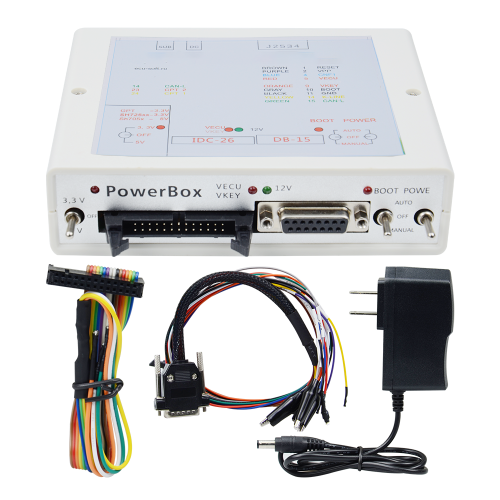 KTM JTAG PowerBox for Hitachi PCMflash ECU Tuni...US$ 35.10 US$ 39.00
 -
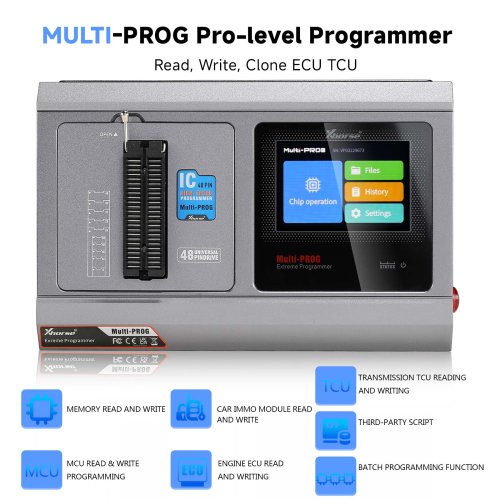 Xhorse Multi Prog Programmer The ECU Chip Tunin...US$ 899.10 US$ 999.00
 -
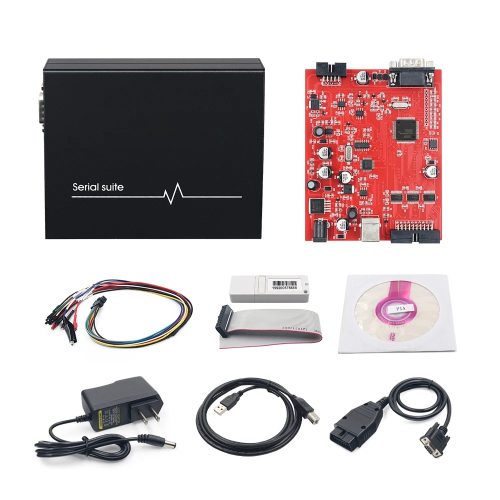 2024 Piasini V4.3 Engineering Firmware OBD2 Mas...US$ 34.74 US$ 38.60
 -
-
 Original Yanhua Digimaster 3 Odometer Correctio...US$ 1519.20 US$ 1899.00
 -
 OBDSTAR MP001 Programmer with ECU Bench Jumper ...US$ 215.10 US$ 239.00
 -
-
 Digiprog 3 V4.94 Vehicle Odometer Mileage Corre...US$ 116.10 US$ 129.00
Recently Viewed
-
 Obd Diagnostic Cable Module S1279 Interface for...US$ 35.10 US$ 39.00
 -
 CAN Test Box OBD2 Breakout Box and Protocol Det...US$ 89.10 US$ 99.00
 -
 JLR Mangoose SDD V164 Auto Diagnostic ScabTool...US$ 62.91 US$ 69.90
 -
 Cummins Inpower Pro Diagnostic Scanner V14.5 In...US$ 719.10 US$ 799.00
 -
 ECU Probe Programming Bracke Solderless Solutio...US$ 62.10 US$ 69.00
 -
 AIKKEY K3 OBD Key Programmer Review: CAN FD Sup...US$ 170.10 US$ 189.00
- Company Info
- Feedback
- Customer Reviews
- About Us
- Contact Us
- News
- User Center
- Forget Password
- My Orders
- Tracking Order
- My Account
- Register
- Payment & Shipping
- Customs & Taxes
- Locations We Ship To
- Shipping Methods
- Payment Methods
- Company Policies
- Return Policy
- Privacy Policy
- Terms of Use
Customer Reviews