
|




XTOOL KC501 Key & Chip Programmer For Benz Infrared Key ECU Reader Works With X100PAD3 MAX


-
- Product Name: XTOOL KC501 Key & Chip Programmer For Benz Infrared Key ECU Reader Works With X100PAD3 MAX
- Item NO.: 28430300
- Weight: 2 kg = 4.4092 lb = 70.5479 oz
- Category: ALL CATEGORIES > Auto Key Programmer
- Creation Time: 2025-08-27
If you’re in the market for a powerful, versatile key programming tool, the XTOOL KC501 stands out as a top choice. This article covers why the KC501 is a smart investment for auto enthusiasts, technicians, and repair shops alike, with a detailed look at features, compatibility, setup, and best-use practices.
Key Benefits
- Powerful IMMO & Key Programming: Comprehensive immobilizer and key programming capabilities for a wide range of vehicles.
- Read Remote Control Frequency: Easily extract remote frequencies to clone or analyze key fobs.
- Perfect Match with XTOOL Advanced Devices: Seamless integration with XTOOL ecosystem hardware for expanded functionality.
- Windows PC/Laptop Compatibility: Works with Windows 7 and newer operating systems, giving you a familiar PC-based workflow.
- Wide Car Coverage: Compatible with most 12V petrol sedans, SUVs, minivans, and light-duty trucks globally (USA, Europe, Asia, Australia, and beyond).
- Broad Applicable User: Ideal for car owners, auto repair students, DIY enthusiasts, auto dealers, home and professional mechanics, technicians, car engineers, garages, workshops, and repair shops.
- 5-Year Repair & Lifetime Technical Help: Long-term support and service for ongoing reliability.
What Makes KC501 Stand Out
All-in-One Key & Chip Programming Tool
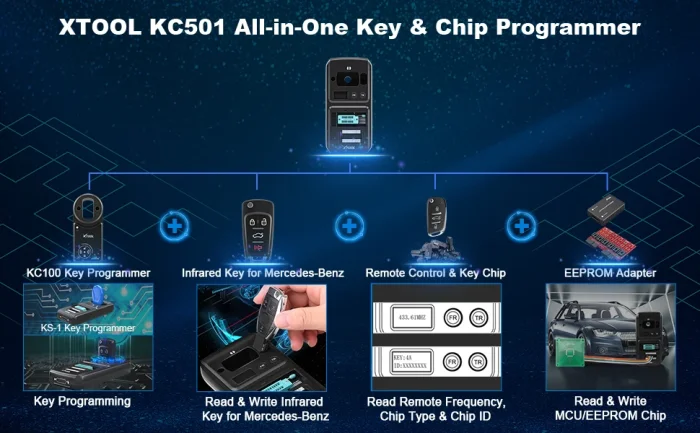
The KC501 not only encompasses all functions of the KC100 Key Programmer and EEPROM Adapter, but it also adds extended IMMO features and key/chip programming capabilities. This makes it a robust upgrade for existing KC-series users.
- Key Matching for Multiple Brands: Audi/Skoda/VW 4th & 5th generation keys, MQB platforms, and BMW CAS1-CAS3++ systems.
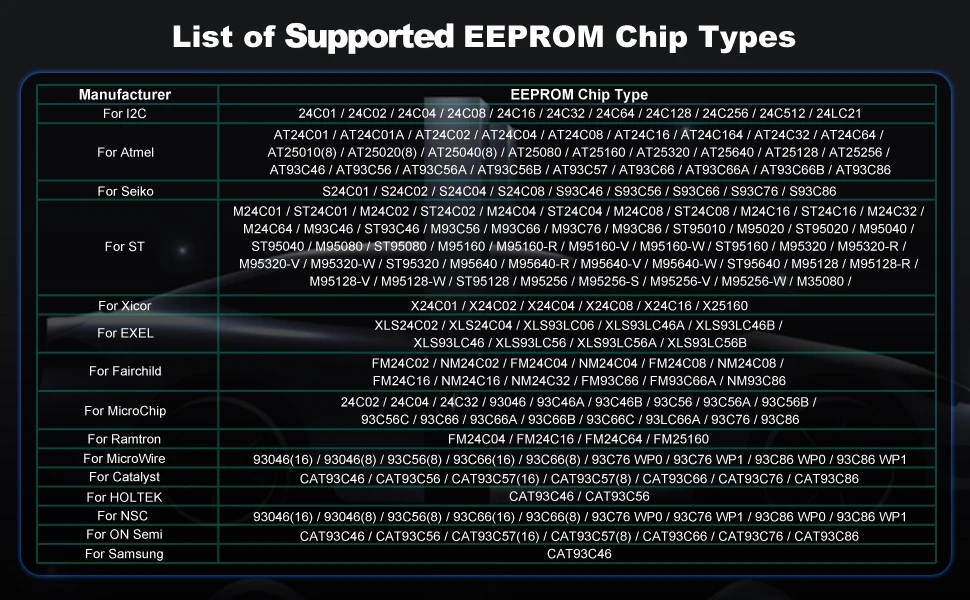
- Read & Write MCU/ECU/EEPROM Chips: Direct access to a broad range of onboard chips for advanced programming.
- Read Remote Frequency, Chip Type & Transponder ID: Obtain essential data for key cloning and diagnostics.
- Read & Write Infrared Keys for Mercedes-Benz: Supports multiple Mercedes-Benz model series (A through S/CLS, including CLS, G, GL, SLK, GLC, and more) across year ranges listed in product specs.
Note: Not all functions are universally compatible with every vehicle. Always verify compatibility with the vehicle VIN and required functions before proceeding.
Wide Vehicle Compatibility
- Supports a broad set of 12V petrol vehicles across regions.
- Designed to work with XTOOL’s own device family for enhanced performance and reliability.
- Includes compatibility notes for model-year ranges and series (e.g., Mercedes-Benz A, B, C, E, G, M, R, S series, etc.).
Ecosystem & PC Integration
- Pairs with XTOOL advanced devices such as X100 PAD3, X100 PAD3 SE, X100 MAX, D8, D9 Pro, A80 series, and more.
- Runs with the KC501 Studio software on Windows PCs/laptops (install KC501 Studio first; disable antivirus during installation for best results).
How to Connect and Use KC501
Wireless Tool Connection
- Connect the VCI adapter and main cable to the car’s OBD port (usually under the dashboard).
- Power on the XTOOL Wireless Tool and pair Bluetooth with the VCI.
- Connect the XTOOL Wireless Tool to KC501 via USB, enter the immobilization menu, and follow on-screen instructions.
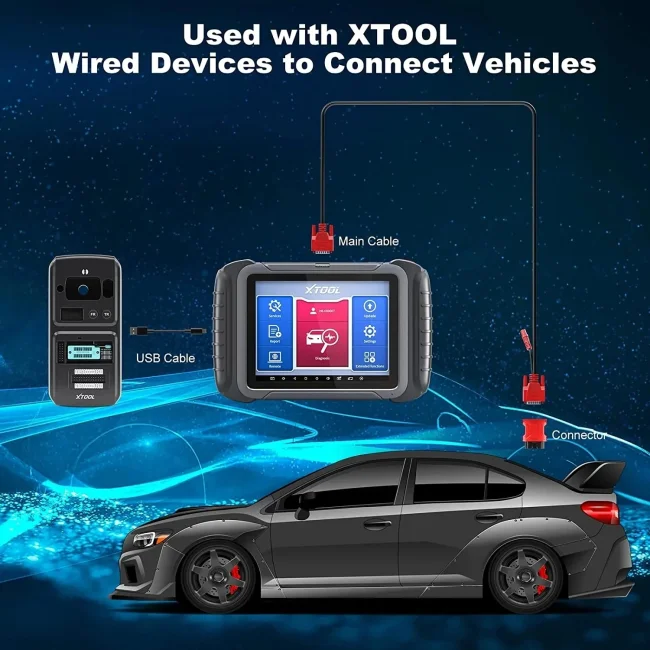
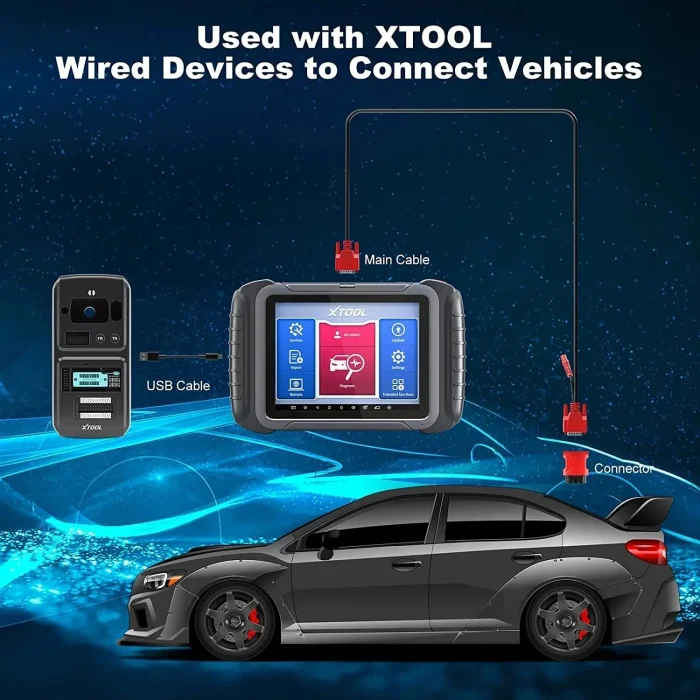
Wired Tool Connection
- Turn on the XTOOL Wired Tool.
- Connect the car’s OBD port with the included cable.
- Connect the XTOOL Wired Tool to KC501 with USB and follow the immobilization menu instructions.
Important: KC501 cannot be used alone. Ensure you have the KC501 Studio software installed and a compatible XTOOL device in the ecosystem.
Product Features Overview
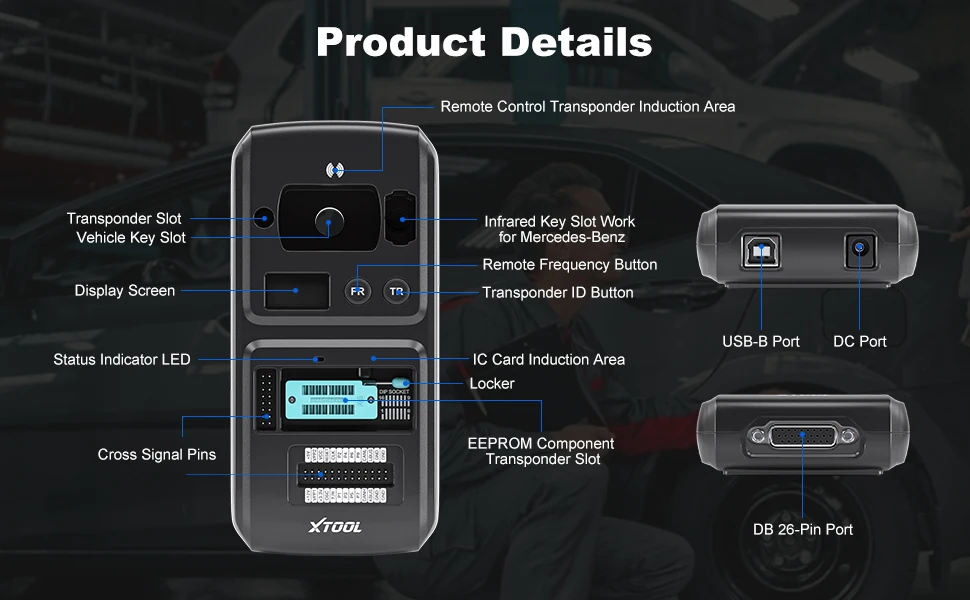
- Remote Control Transponder Induction Area: Reads/writes remote transponder data.
- Transponder Slot & Vehicle Key Slot: Fix transponders and keys for data reading/writing.
- Infrared Key Slot for Benz: Enables Benz infrared key reading/writing.
- Display Screen & Buttons: Shows remote frequency and transponder ID; easy navigation.
- Status Indicator LED: Visual cue for operation status.
- IC Card Induction Area: Reads/writes IC card data.
- Locker for EEPROM: Secures EEPROM transponder slots to ensure stable operation.
- Cross Signal Pins: Secures MCU boards, spare cables, and DIY interfaces for MCU/ECU work.
- USB-B & DC Ports: Data communication and 5V power; separate 12V supply via DC port.
- DB 26-Pin Port: Connects to infrared cable for Mercedes-Benz, ECU cables, MCU cables, and MC9S12 cables.
Compatibility and VIN Check
Because vehicle electronics vary significantly, always verify the KC501’s function compatibility for a specific VIN before proceeding with programming. If in doubt, contact XTOOL support or consult the official KC501 compatibility resources.
Why Professionals Choose KC501
- Reliability & Longevity: High-quality build designed for daily workshop use.
- Extensive Vehicle Coverage: Broad support across major markets and brands.
- Flexible Deployment: Works with both wireless and wired tools to fit your workshop setup.
- Strong After-Sales Support: 5-year repair window and lifetime technical help.
How to Get Started
- Ensure you have a Windows PC or laptop (Windows 7 or newer).
- Install KC501 Studio on your PC.
- Connect KC501 to your XTOOL device per the wired or wireless instructions.
- Verify VIN compatibility for your target vehicle before performing key or chip operations.
Useful Accessories
Enhance your KC501 experience with a range of carefully selected accessories designed to simplify reading, writing, and testing EEPROMs, MCU chips, and related components.
- PCBA EEPROM: Used to read & write EEPROM chips on a bench setup.
- FQFP Boards: Weld microcontrollers onto these boards to create convenient jump wires and test rigs.
- IC EEPROM Chip Test Stand: EEPROM chip placed securely to read & write EEPROM data on a bench.
- Color Cable: Connects to the 26-Pin connector; ideal for jumping wires and data transfer on modules.
- DuPont Cable: Versatile, separated cables for multi-purpose use (jumpers, data reads, etc.).
- IC Clip Cable: Chip clip that allows reading & writing EEPROM data without desoldering or sealing the chip from the module.
- IR Key Emulator for Benz: Used to read/collect EIS/EZS data during Benz key programming processes.
- XTA Cables: Wiring harnesses for ECU reading & writing tasks.
Technical Parameter
- Display: 0.96-in, 128x64 Monochrome OLED Screen
- Input Voltage: 5V (USB-B) / 12V (DC)
- Working Temperature: -10 to 50°C (14 to 122°F)
- Storage Temperature: -20 to 60°C (-4 to 140°F)
- Related Humidity: < 90%
- Relative Humidity: 10%–90%

You May Also Like
-
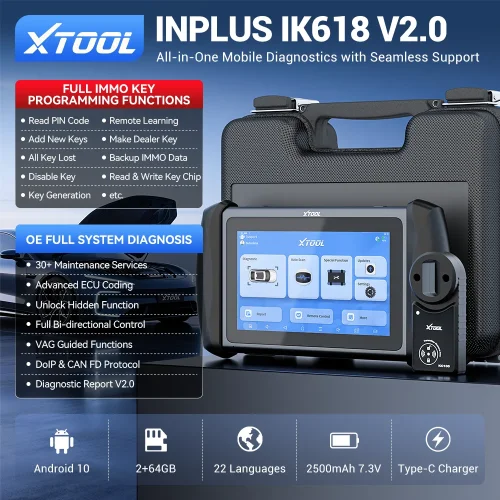 XTOOL InPlus IK618 IMMO Key Programming Tool Pr...US$ 899.10 US$ 999.00
 -
 CG Pro 9S12 Programmer Full Version with All Ad...US$ 476.10 US$ 529.00
 -
 Keydiy KD-X4 Remote Generator Copy Chip Key Pro...US$ 692.10 US$ 769.00
 -
 TY200 Locksmith Tool Universal Remote Control G...US$ 170.10 US$ 189.00
 -
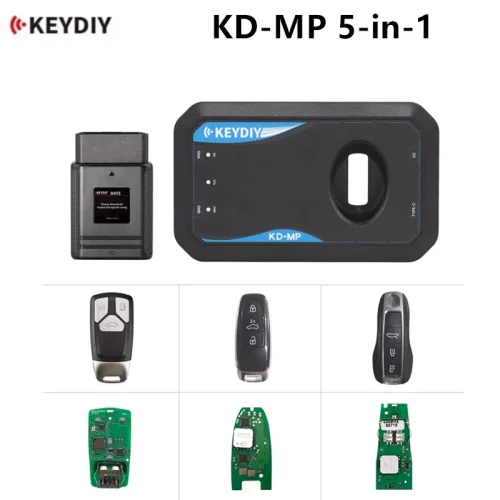 KEYDIY KD MP 5 in 1 Programming Kit Add Keys w...US$ 449.10 US$ 499.00
 -
 XTOOL KC501 Key & Chip Programmer For Benz Infr...US$ 539.10 US$ 599.00
 -
 Carprog 2 V8.28 Car Prog II Smart Programming R...US$ 259.20 US$ 288.00
 -
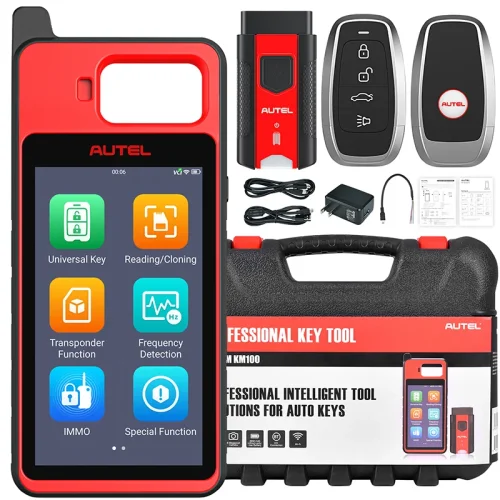 Autel MaxiIM KM100 Immobilizer Tool Key Creatio...US$ 503.10 US$ 559.00
Recently Viewed

- Company Info
- Feedback
- Customer Reviews
- About Us
- Contact Us
- News
- User Center
- Forget Password
- My Orders
- Tracking Order
- My Account
- Register
- Payment & Shipping
- Customs & Taxes
- Locations We Ship To
- Shipping Methods
- Payment Methods
- Company Policies
- Return Policy
- Privacy Policy
- Terms of Use
Customer Reviews