
|
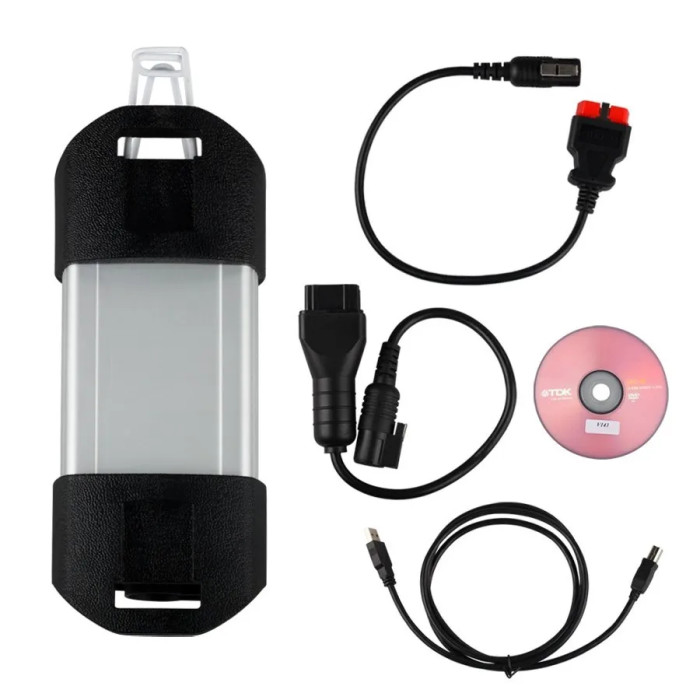
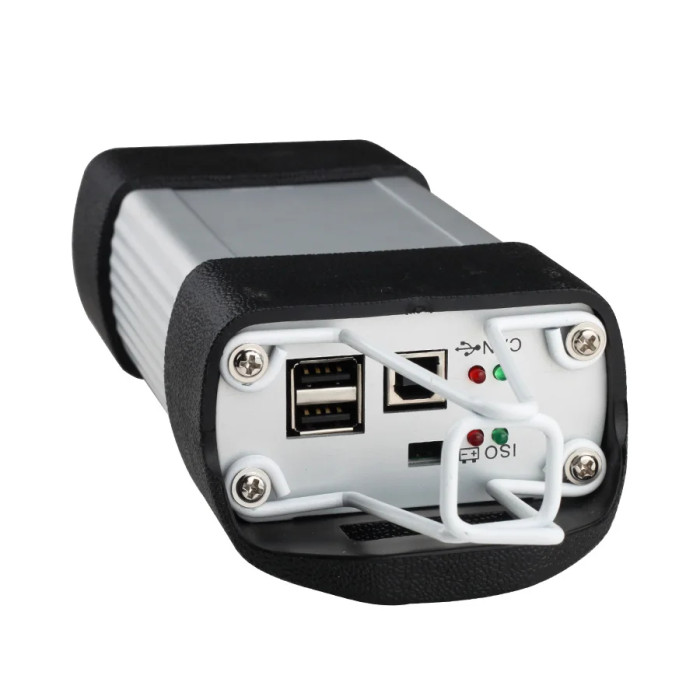
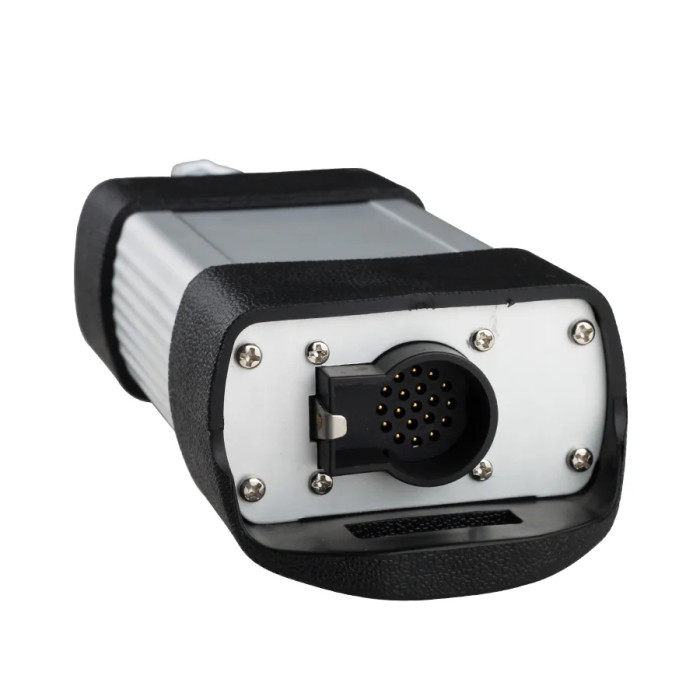


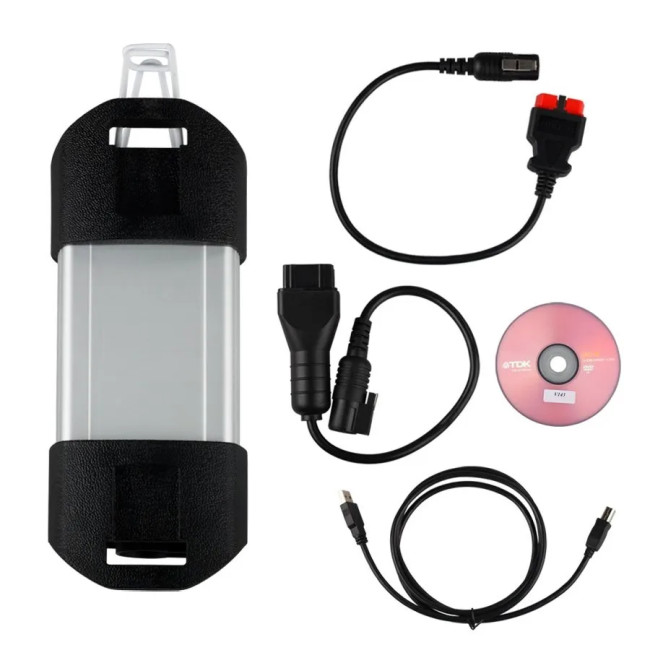
Top Quality Clip Renault Diagnostic Interface Full Chip OBD2 Scanner canclip V212 with AN2135SC


-
- Product Name: Top Quality Clip Renault Diagnostic Interface Full Chip OBD2 Scanner canclip V212 with AN2135SC
- Item NO.: 1005006692096697
- Weight: 1.2 kg = 2.6455 lb = 42.3288 oz
- Category: Car Diagnostic Tools > For Volvo/Renault/Nissan/Mitsubishi
- Creation Time: 2024-05-17
The Renault CAN Clip V212 Diagnostic Interface is a professional automotive diagnostic tool specially designed for Renault vehicles. Equipped with a high-quality AN2131QC full chip, this interface provides stable communication between Renault vehicles and diagnostic software.
Designed for workshops, technicians, and Renault specialists, the CAN Clip V212 supports comprehensive vehicle diagnosis, ECU testing, programming, and maintenance functions.
With CAN Clip V212 software, users can access multiple vehicle systems, including:
- Engine system
- Automatic transmission
- Air conditioning system
- ABS and ASR
- Airbag (SRS)
- Anti-theft system
- Keyless Go system
- OBD-II diagnostic functions
The Renault CAN Clip interface is an ideal solution for professional Renault vehicle troubleshooting and repair.
What Is Renault CAN Clip V212?
Overview of CAN Clip Diagnostic Interface
Renault CAN Clip is the original-style diagnostic platform developed for Renault vehicles.
It communicates with vehicle control modules through the OBD-II connector and allows technicians to perform advanced diagnostic operations.
The V212 version provides improved compatibility and stable performance for Renault second-generation vehicles.
Main Features of Renault CAN Clip V212
- Professional Renault diagnostic solution
- AN2131QC full chip hardware design
- Supports ECU communication and testing
- Compatible with Renault CAN and OBD-II systems
- Supports vehicle programming functions
- Multi-language software support
- Suitable for personal users and professional workshops
Renault CAN Clip V212 Main Functions
Complete Vehicle System Diagnosis
The CAN Clip V212 diagnostic tool can automatically scan and diagnose multiple electronic control units.
Supported Vehicle Systems
Engine System
CAN Clip V212 allows technicians to:
- Read engine ECU information
- Check fault codes
- Monitor engine parameters
- Perform system tests
Automatic Transmission System
The tool supports transmission diagnosis, including:
- Transmission ECU communication
- Fault code reading
- Data monitoring
- System checking
Air Conditioning System
Users can diagnose climate control systems:
- Check air conditioning ECU
- Read error information
- Test related components
ABS and ASR System
The CAN Clip interface supports:
- ABS fault diagnosis
- ASR system testing
- Wheel speed sensor checking
- Brake system analysis
SRS Airbag System
The diagnostic tool can access airbag modules for:
- Airbag fault code reading
- Safety system testing
- SRS system diagnosis
Anti-Theft and Keyless Go System
CAN Clip V212 supports Renault security systems, including:
- Immobilizer diagnosis
- Keyless Go system checking
- Anti-theft module communication
Advanced Functions of Renault CAN Clip V212
ECU Programming and Reprogramming
The Renault CAN Clip V212 supports ECU reprogramming functions for compatible Renault models.
Technicians can perform:
- ECU configuration
- Module programming
- Software update operations
The available programming functions depend on vehicle model and ECU type.
Automatic Computer Test
The automatic test function allows users to quickly scan all vehicle computers.
It can identify:
- Connected ECU modules
- Stored faults
- Communication problems
OBD-II Diagnostic Function
CAN Clip V212 includes standard OBD-II testing capability.
It supports:
- Emission-related diagnostics
- Engine fault checking
- OBD communication testing
Physical Measurements
The tool supports physical measurement functions for checking:
- Sensor values
- Electrical parameters
- Vehicle operating data
Technical Documentation Access
With Base Doc function, technicians can access technical notes and maintenance information for Renault vehicles.
Renault CAN Clip V212 Software Information
Software Version and Language Support
Software Version
- Version: V212
- Update method: CD installation
Supported Languages
Renault CAN Clip V212 supports multiple languages:
- English
- German
- Danish
- Spanish
- Finnish
- French
- Italian
- Norwegian
- Dutch
- Portuguese
- Romanian
- Swedish
Renault CAN Clip V212 Hardware Features
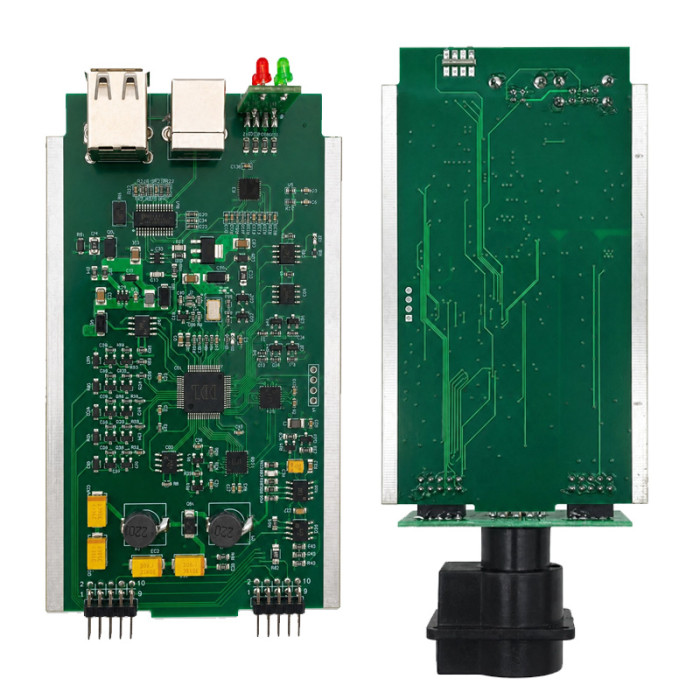
AN2131QC Full Chip Design
The CAN Clip V212 uses an AN2131QC full chip solution to ensure reliable communication with Renault vehicles.
Compared with low-quality clone interfaces, full-chip hardware provides:
- More stable connection
- Better communication performance
- Reliable ECU access
Connection Interfaces
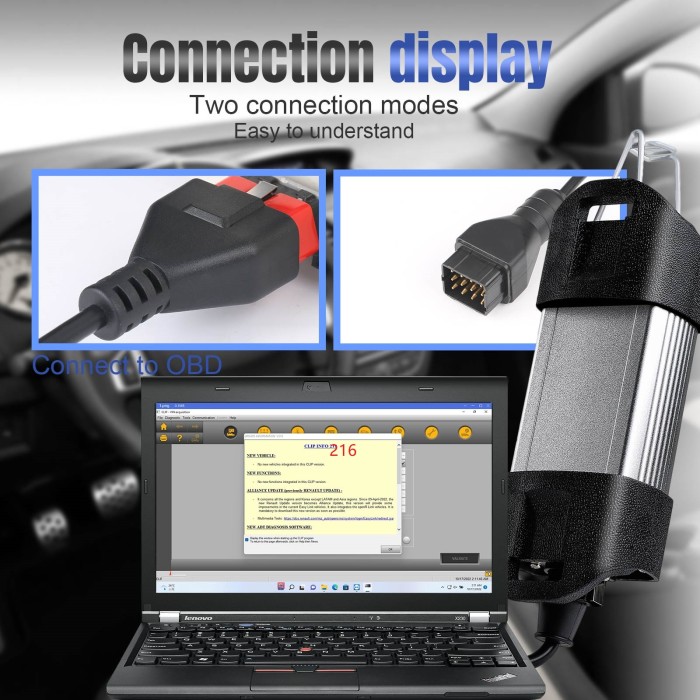
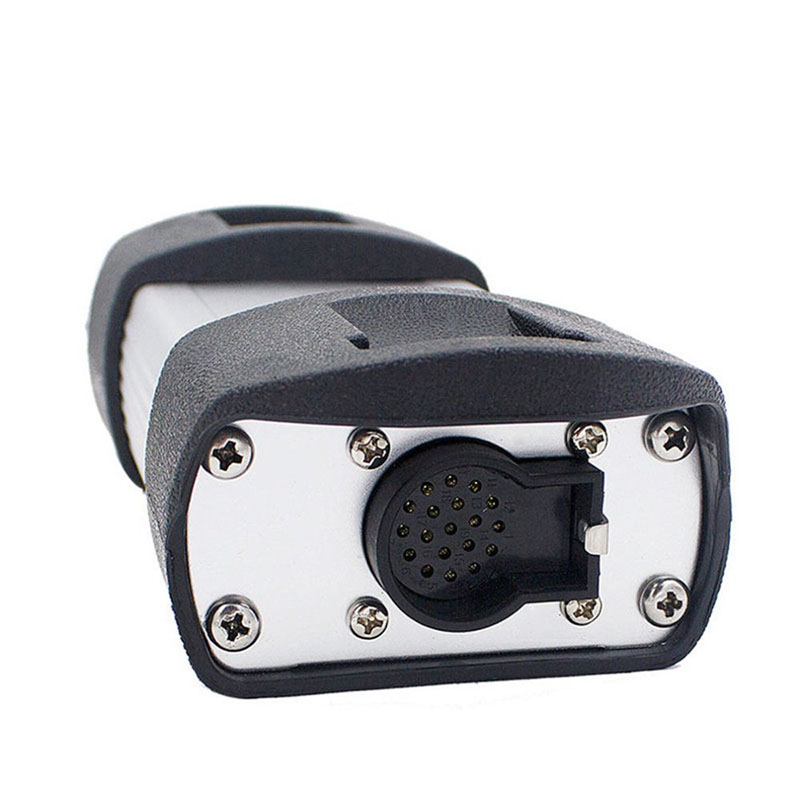
The package includes multiple cables for different connection requirements.
Supported Connections
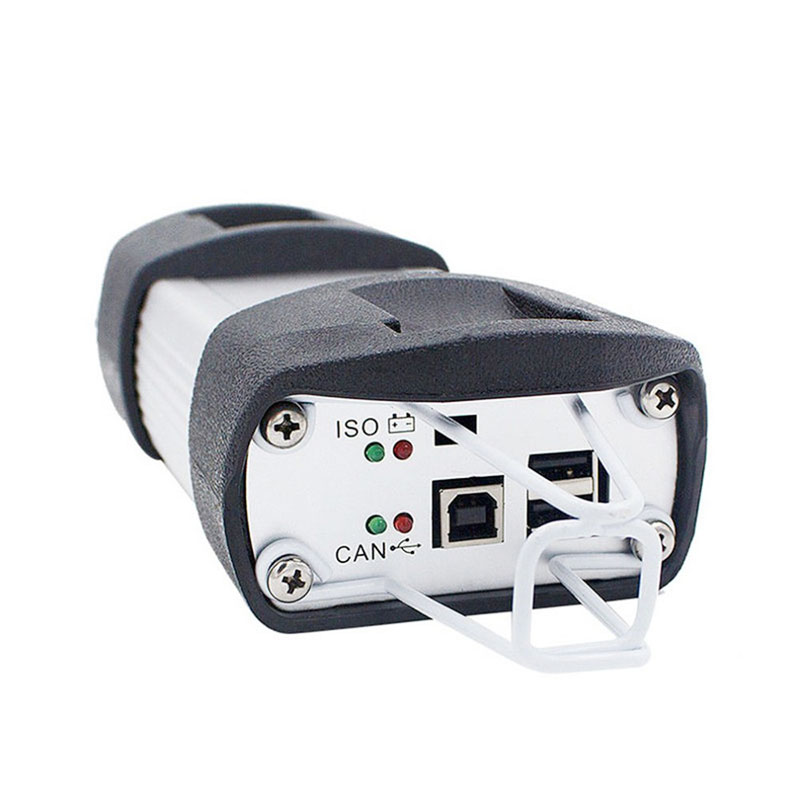
- USB connection
- OBD-II 16-pin connection
- Renault 12-pin cable connection
Renault CAN Clip V212 Compatibility
Supported Renault Diagnostic Applications
The CAN Clip V212 is suitable for:
- Renault passenger cars
- Renault commercial vehicles
- Renault OBD-II compatible models
It is designed for users who need professional Renault-specific diagnosis rather than general OBD scanners.
How to Install Renault CAN Clip V212 Software
System Requirements
Before installation, prepare:
Operating System
Recommended system:
- Windows 7 32-bit
(Some users also install on Windows XP systems depending on software compatibility.)
Installation Requirements
- Administrator privileges required
- Disable unnecessary antivirus blocking during installation
- Ensure stable USB connection
Renault CAN Clip V212 Installation Steps
Step 1: Prepare Installation Files
Insert the CAN Clip V212 CD and open the installation folder.
Copy the activation patch folder to the computer desktop.
Step 2: Install CAN Clip Software
Run the installation program:
- Open CAN Clip V212 setup
- Select installation language
- Accept the software agreement
- Follow the installation wizard
- Install required Windows components
- Restart the computer after installation
Step 3: Activate CAN Clip Software
After installation:
- Copy the activation file to:
C:\CLIP\_X91\Lib\Application- Start CAN Clip software
- Select registration option
- Complete activation process
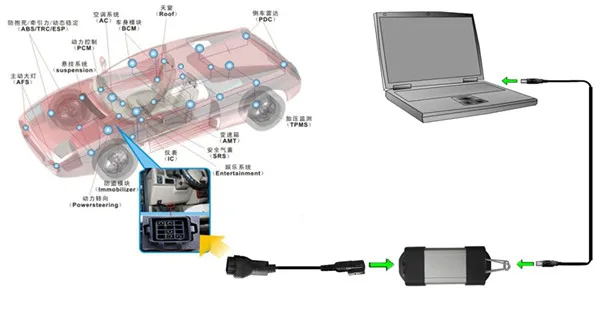
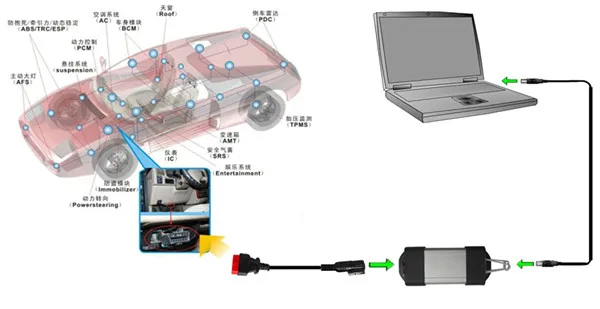
Step 4: Connect Diagnostic Interface
Connect:
Computer
   ↓
USB Cable
   ↓
Renault CAN Clip Interface
   ↓
Vehicle OBD-II Port
Launch the software and begin vehicle diagnosis.
Renault CAN Clip V212 Package List
The package includes:
Quantity Item 1 Renault CAN Clip V212 Interface 1 12-Pin Cable 1 OBD-II 16-Pin Cable 1 USB Cable 1 Software CD Advantages of Renault CAN Clip V212 Diagnostic Tool
Professional Renault-Specific Diagnosis
Unlike universal OBD scanners, CAN Clip provides deeper access to Renault vehicle systems.
Wide System Coverage
It supports almost all major Renault electronic systems, making it suitable for comprehensive repair work.
ECU Programming Capability
The tool provides advanced functions beyond basic fault code reading.
Stable Full Chip Hardware
The AN2131QC chip design improves communication reliability and diagnostic performance.
Frequently Asked Questions About Renault CAN Clip V212
What is Renault CAN Clip V212 used for?
Renault CAN Clip V212 is used for Renault vehicle diagnosis, ECU communication, programming, and maintenance operations.
Does CAN Clip V212 support ECU programming?
Yes. It supports programming and configuration functions for compatible Renault ECU modules.
What operating system does Renault CAN Clip V212 support?
The recommended operating system is Windows 7 32-bit. Administrator privileges are required during installation.
What vehicles can use Renault CAN Clip?
CAN Clip is designed mainly for Renault vehicles equipped with compatible diagnostic communication systems.
What is the AN2131QC chip?
AN2131QC is a communication chip used in CAN Clip hardware to improve diagnostic interface stability and vehicle communication performance.
Conclusion
The Renault CAN Clip V212 Diagnostic Interface with AN2131QC full chip is a powerful professional scanner designed specifically for Renault vehicles.
With comprehensive system coverage, ECU programming capability, OBD-II testing support, and multi-language software, it provides technicians with an efficient solution for Renault vehicle diagnosis and repair.
For workshops and Renault specialists who require deeper vehicle access than standard OBD scanners, the CAN Clip V212 offers reliable performance and advanced diagnostic functions.
Clip Renault 12 Pin Cable Connection Picture
Clip Renault OBD Cable Connection Picture
You May Also Like
-
 NEW WiFi Renault VCI2 V232 Professional Renault...US$ 127.20 US$ 159.00
 -
 Volvo Vida Dice 2014D Car Diagnostic Tools Wind...US$ 80.10 US$ 89.00
 -
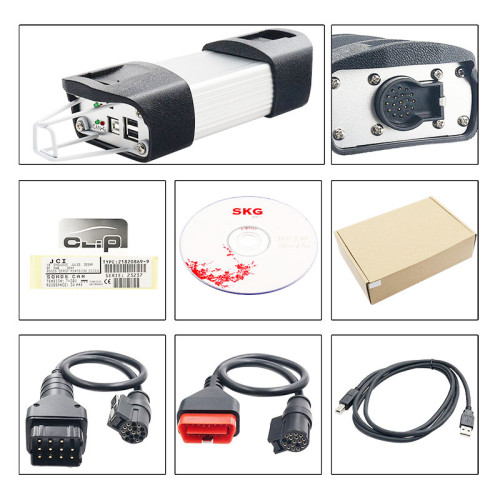 Reault Can Clip For V234 Reprog Can Clip Suppor...US$ 64.03 US$ 71.14
Recently Viewed
-
 ALicar P100 Pro Car Electric Circuit Tester Aut...US$ 103.50 US$ 115.00
 -
 LAUNCH X431 PAD 7 VII PAD7 PADVII Car Diagnosti...US$ 3059.10 US$ 3399.00
- Company Info
- Feedback
- Customer Reviews
- About Us
- Contact Us
- News
- User Center
- Forget Password
- My Orders
- Tracking Order
- My Account
- Register
- Payment & Shipping
- Customs & Taxes
- Locations We Ship To
- Shipping Methods
- Payment Methods
- Company Policies
- Return Policy
- Privacy Policy
- Terms of Use
Customer Reviews