
Benz Diagnostic Tool ALicar Super Mb Star User Manual
PLEASE READ AND SAVETHESE INSTRUCTIONS
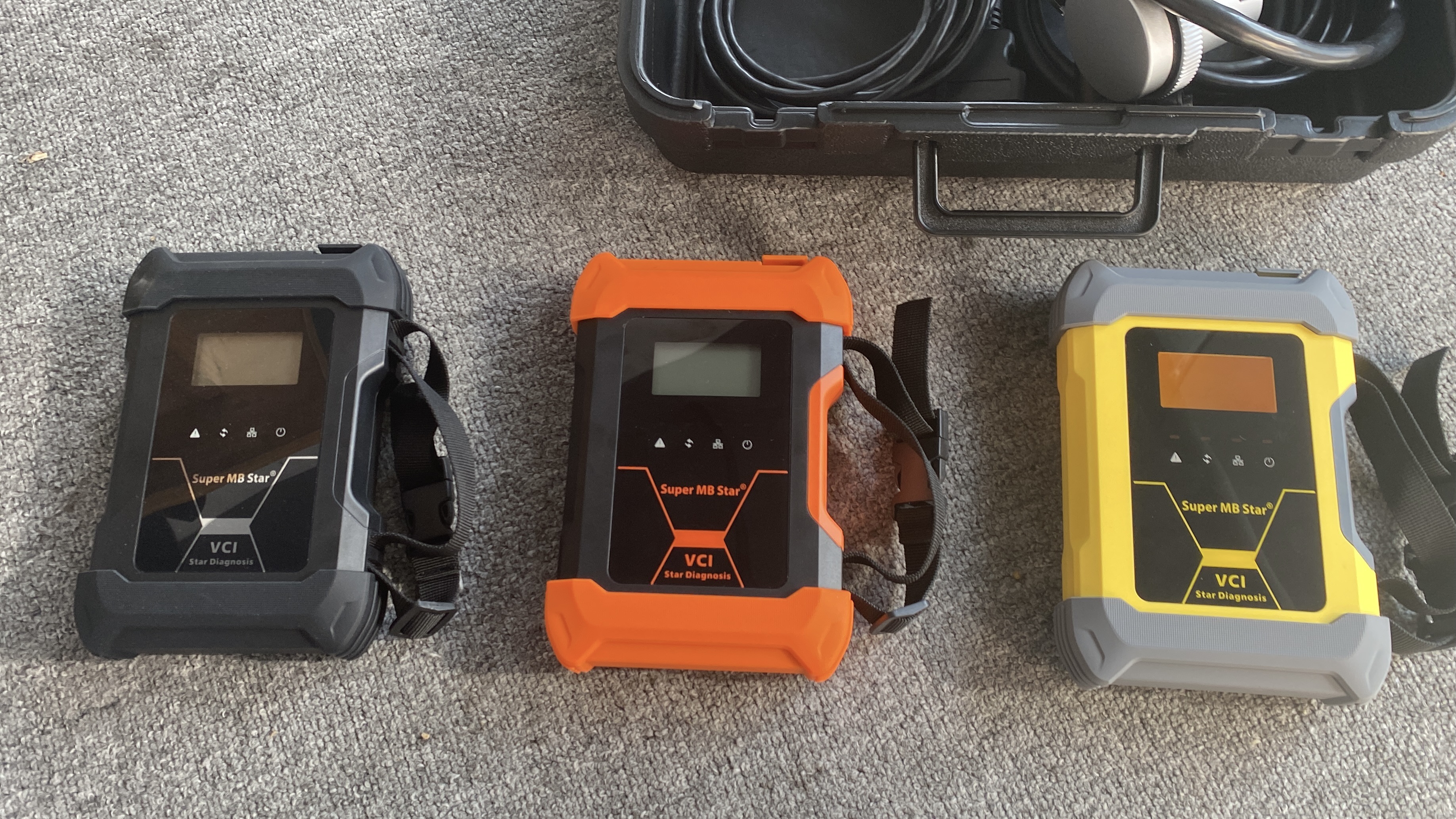
Applicable car models: MB Cars. MB Truck . Old and New
Product introduction
Super MB Star has improved product functions and compatibility based on MB Star. lt is 100%compatible with original Mercedes-Benz software and adds real-time display monitoring of vehicle voltage.
The communication interface between Super MB Star and computer is a dual interface mode of USB3.0 interface and LAN network port, which improves the compatibility of the product with computers and tablets and provides a variety of optional communication modes.(Compatible with all new and old computers and tablets.)Super MB Star supports remote C-end operation. The client does not need to install special diagnostic test software. lt only needs to connect Super MB Star to a local computer with internet access. We can provide customers with paid diagnostic and detection services for vehicle faults remotely. Customers can also set up local remote diagnostic testing in the local area network. This greatly improves the flexible use of the product.
Super MB Star instructions for Use1. MB Diagnostic Software and Hardware Connection Method
Connect the Super MB Star hardware box to the car diagnostic interface through the test main line. The red indicator on the host is always on, the voltage ⑦ is normal, and the system indicator ② is flashing during startup. After the startup is completed, ② is always on and a beep is emitted (the startup time is within 25 seconds and the hardware is normal), indicating that the startup is complete.
(1)Wired connection:
Connect the ⑨USB or ⑩ LAN port of the Super MB Star hardware box to the communication port of the computer or tablet.
Open the computer network configuration interface and find the Realtek USB FE Family Controller network/the network adapter that comes with the Pc. If the icon does not appear, reconnect it.(Figure2)


Click “Properties"--TCP/lPV4, and set the IP address as shown in the figure below.(Figure3)

Click “Advanced", and add a group of network lP addresses as shown in the figure below.(Figure4)

Click “OK". After the configuration is successful, the display is as follows.(Figure5For the same computer, if you replace a new Super MB Star, you need to reset the IP address. After the setting is completed, the computer is successfully bound to the Super MB Star and there is no need to set the IP address again for wired and wireless internet access. (Use LAN port connection mode, no need to re-set lP when changing devices.


- Company Info
- Feedback
- Customer Reviews
- About Us
- Contact Us
- News
- User Center
- Forget Password
- My Orders
- Tracking Order
- My Account
- Register
- Payment & Shipping
- Customs & Taxes
- Locations We Ship To
- Shipping Methods
- Payment Methods
- Company Policies
- Return Policy
- Privacy Policy
- Terms of Use