
ALicar MB STAR C6 Complete User Guide - How to Use, Features & Troubleshooting
If you’re working with Mercedes-Benz vehicles, having the right diagnostic tool is crucial for efficient fault detection and repair. ALicar MB STAR C6 is a top-tier diagnostic instrument designed specifically for Mercedes-Benz, offering comprehensive features to handle everything from basic fault checks to advanced programming. In this guide, we’ll break down everything you need to know about MB STAR C6, including its features, setup, usage, and important considerations.
What is MB STAR C6?
Key Compliance & Safety
Technical Specifications of MB STAR C6
Supported Protocols
Voltage & Connectivity
Compatible Vehicles & ECUs
Core Features of MB STAR C6
1. Fault Diagnosis
2. Programming & Coding
3. Learning & Simulation
4. Maintenance Resources
How to Use MB STAR C6: Step-by-Step Guides
1. Using XENTRY DAS
Setup
Operation
Tips
2. Using Vediamo (for Speed Limit Adjustment & More)
3. Using DTS Monaco
Computer Requirements for MB STAR C6 Benz Diagnostic Tool
Important Notes & Precautions
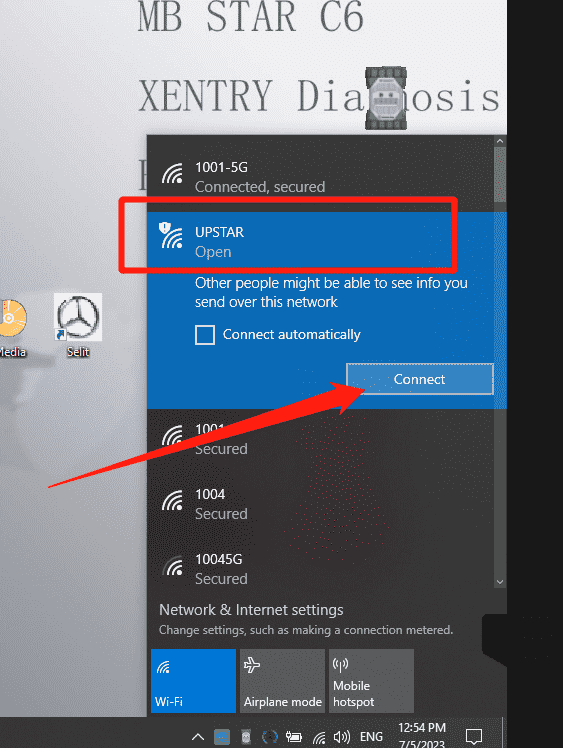
Open XENTRY Diagnosis car
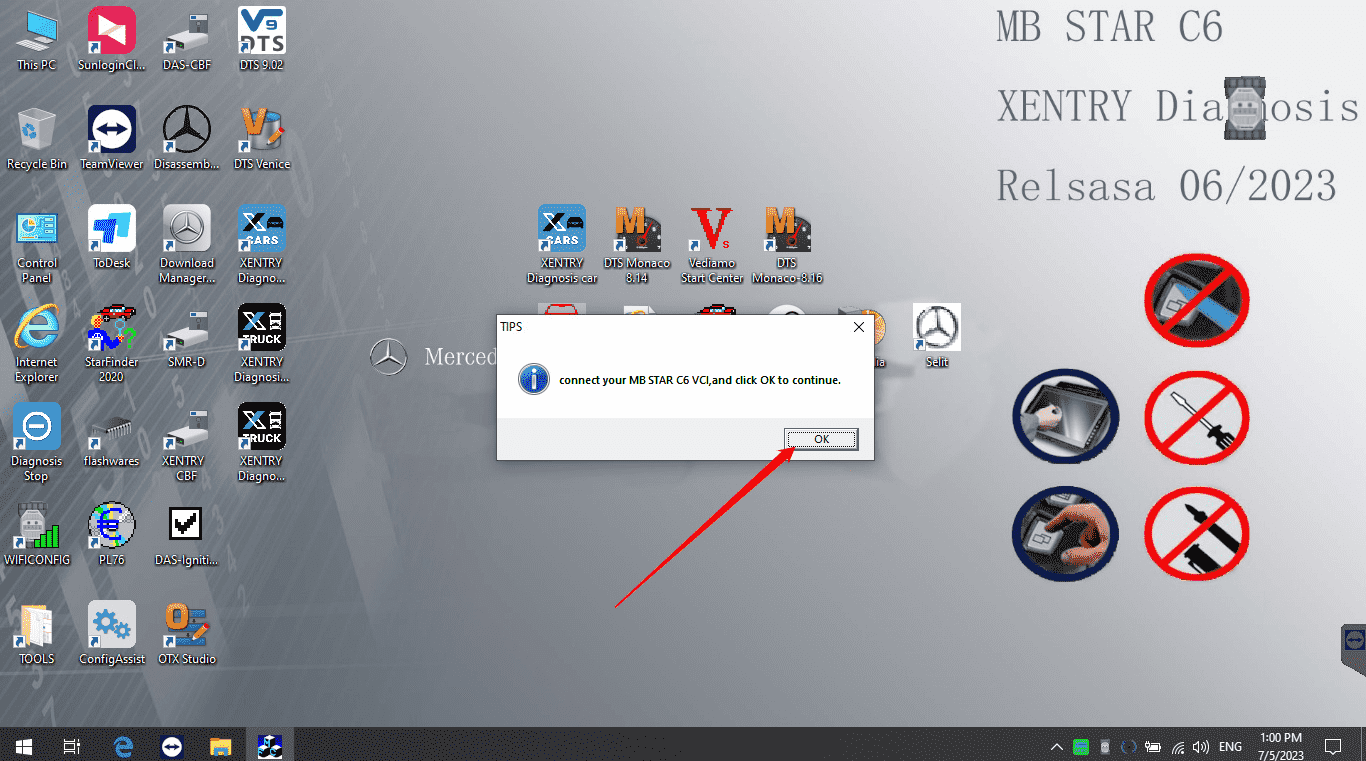
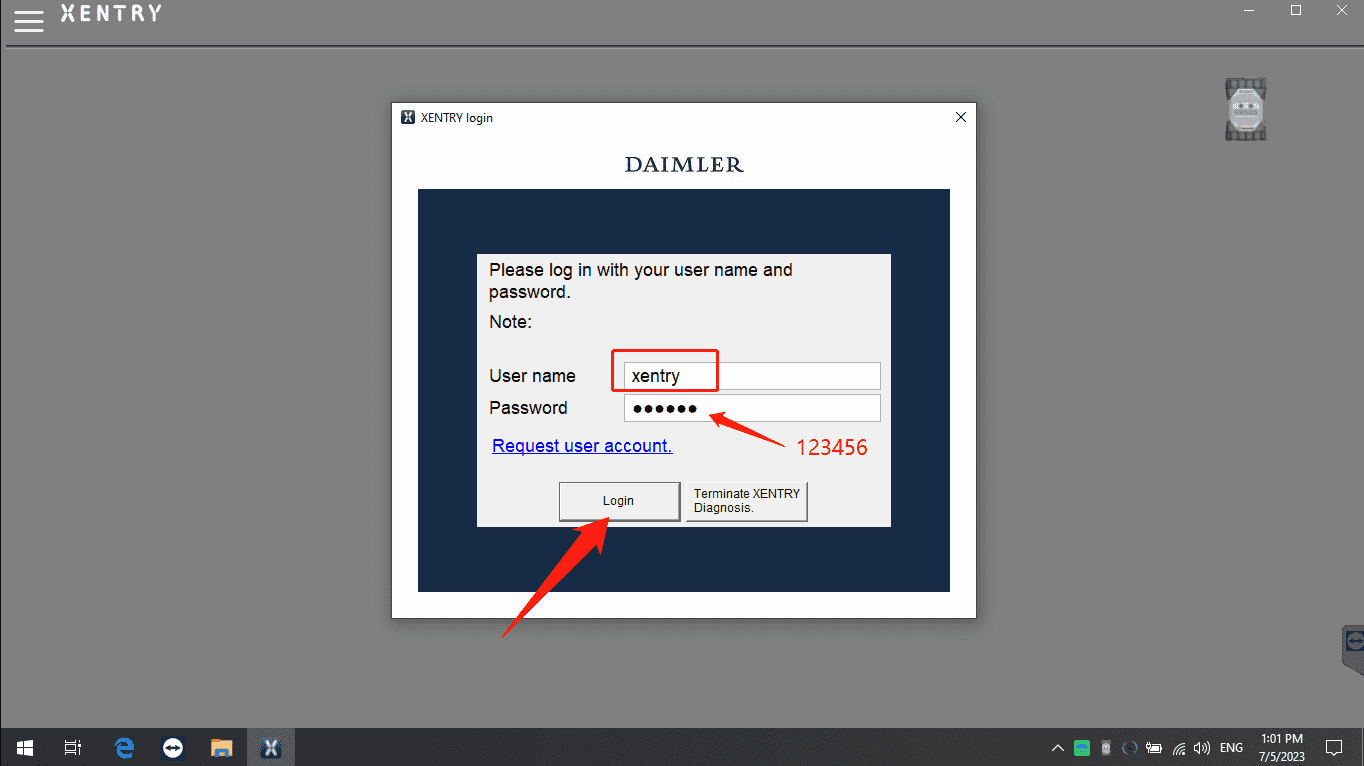
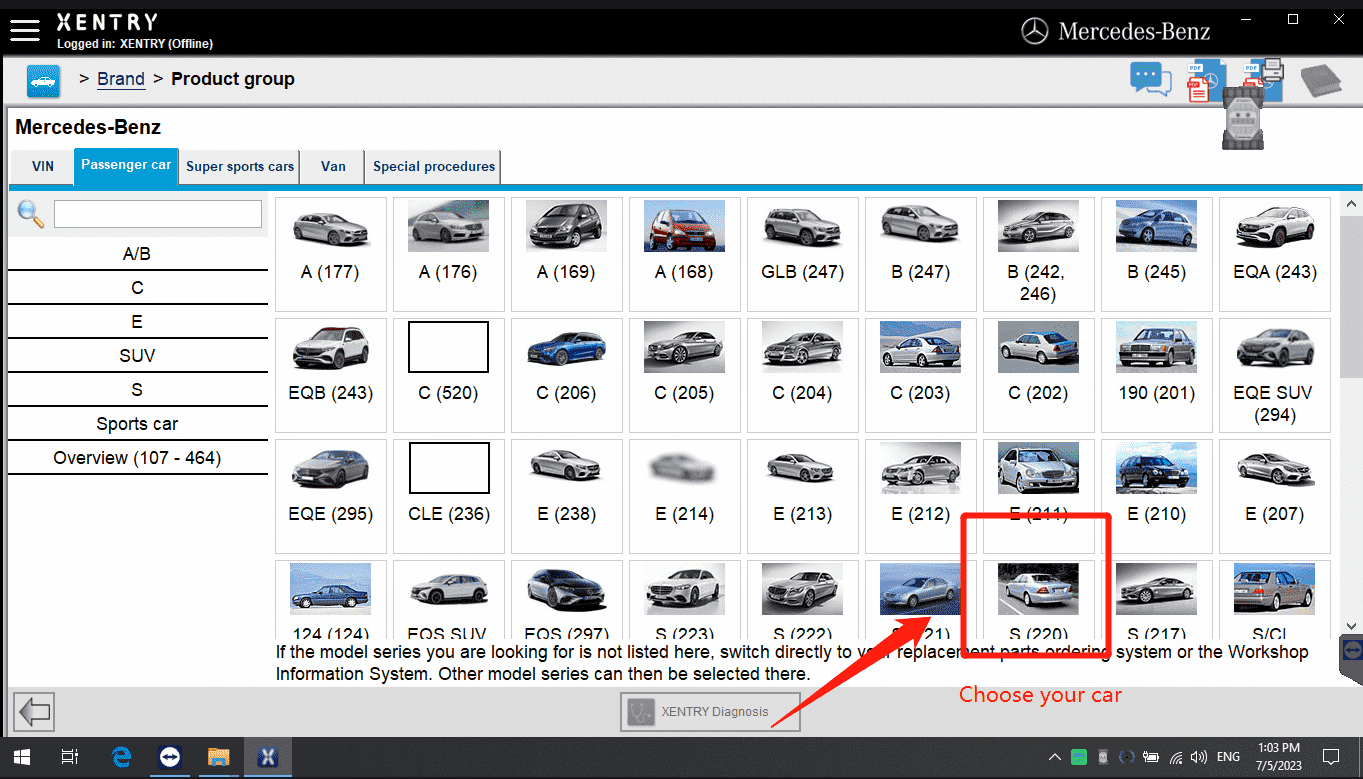
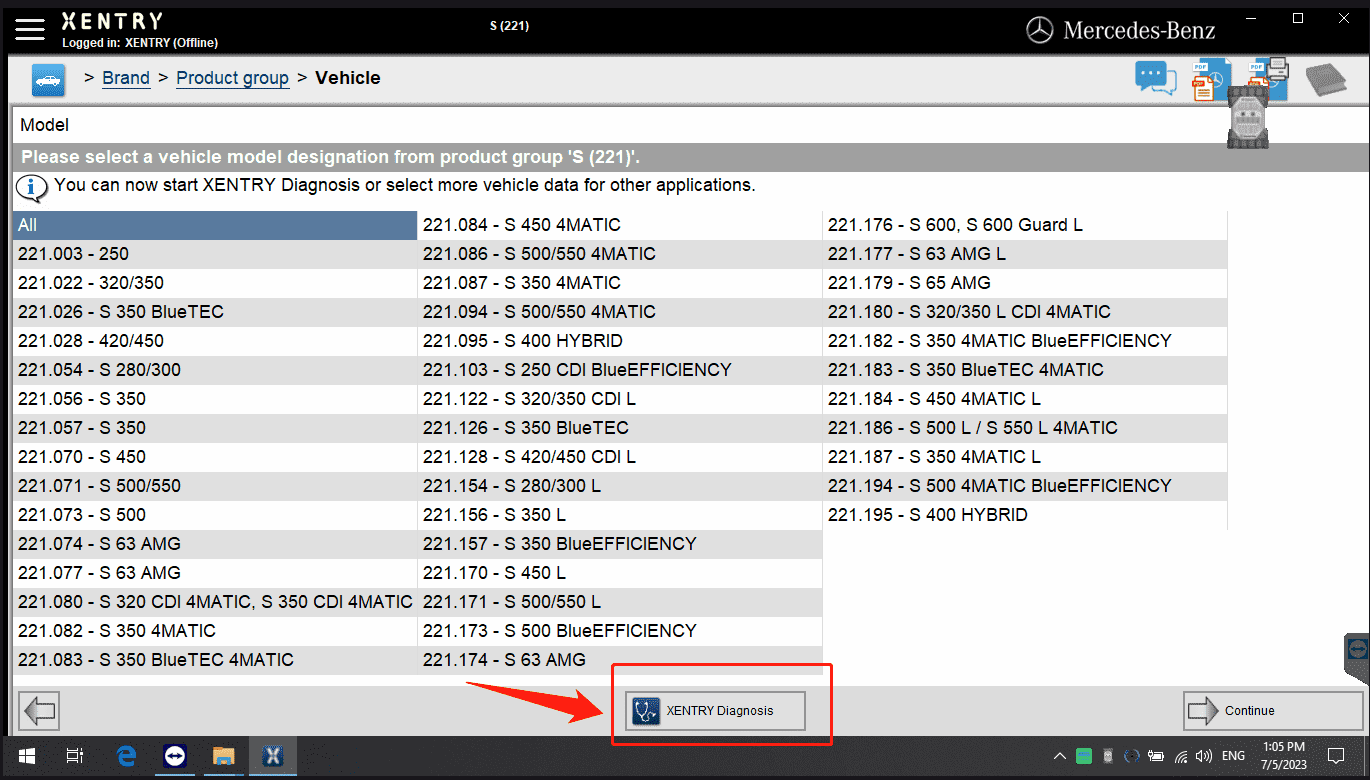
Press Xentry Diagnostics start to Diagnostic work, reference below tips
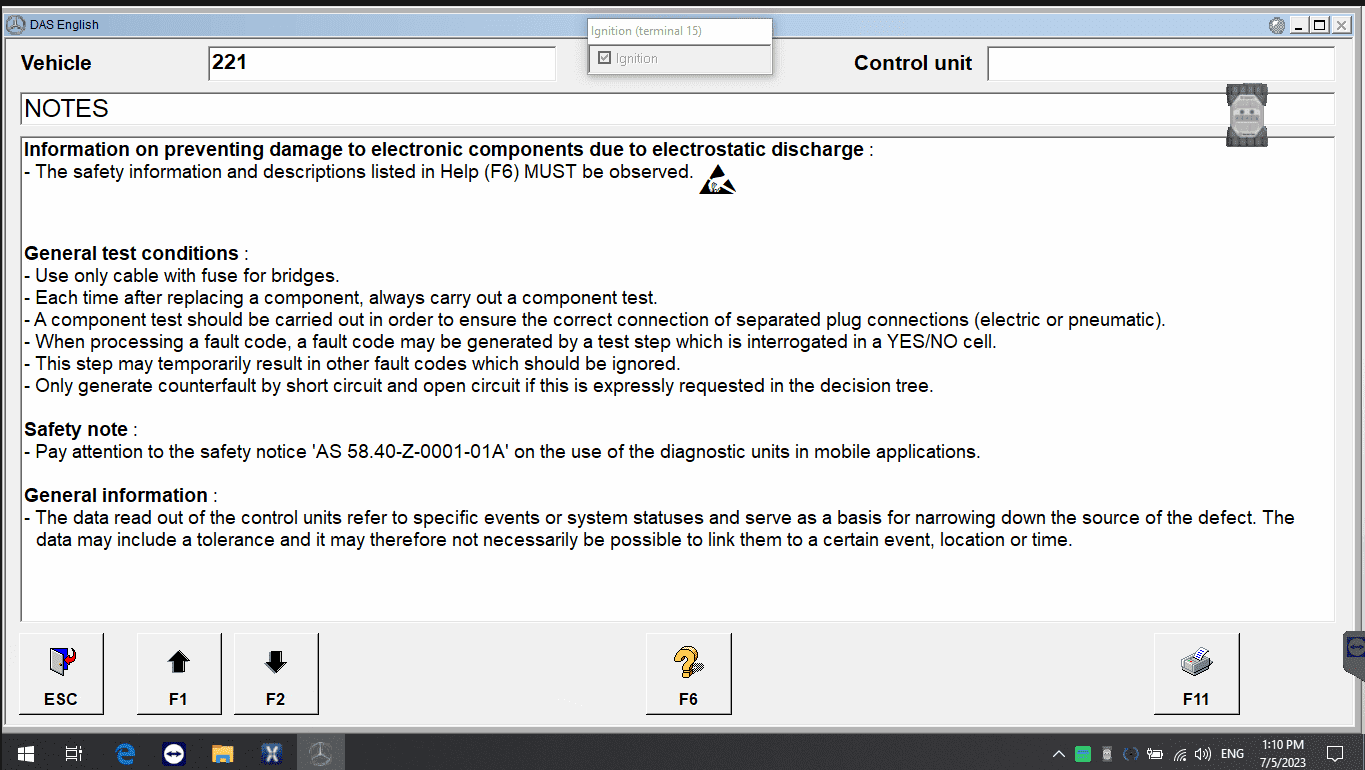
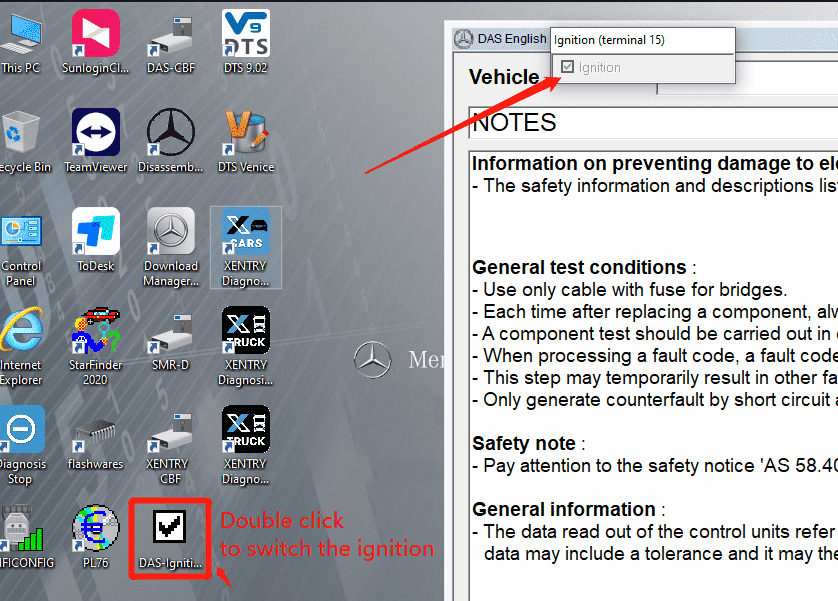
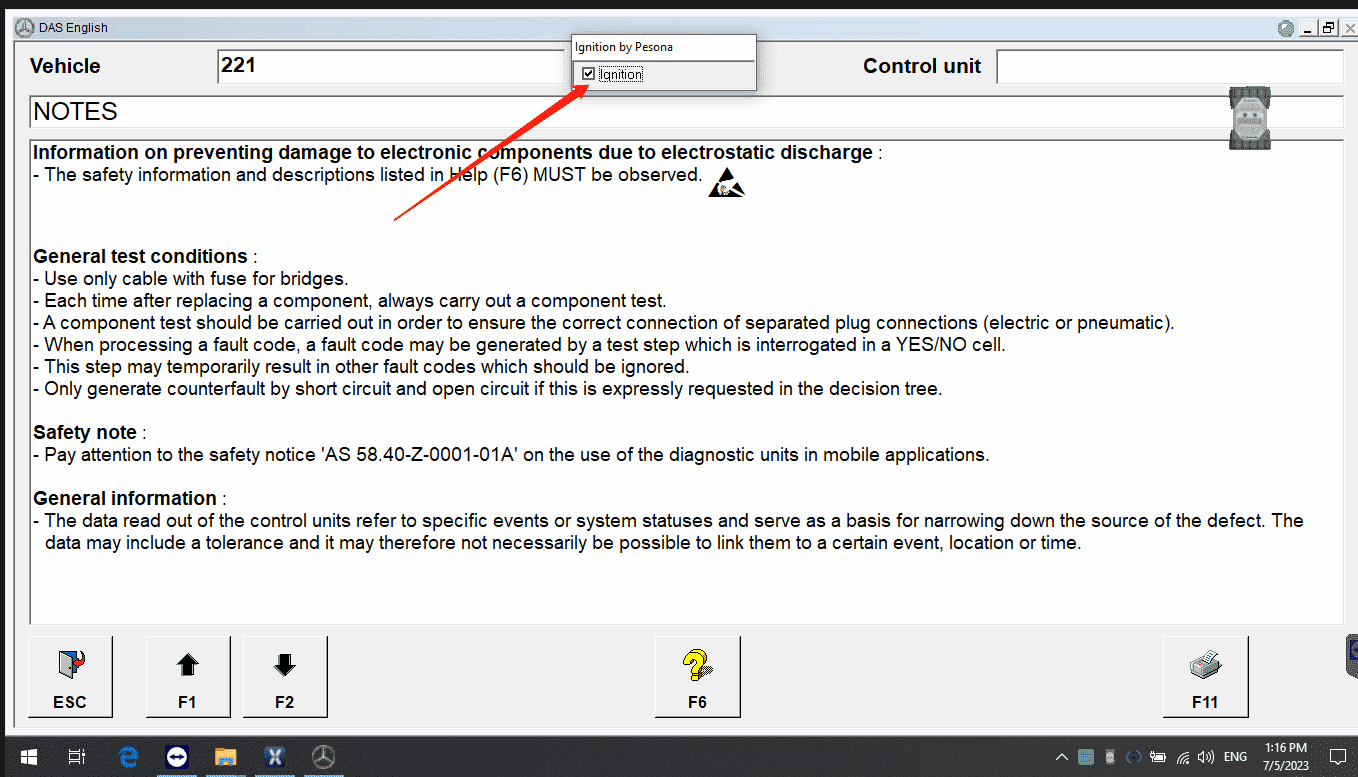
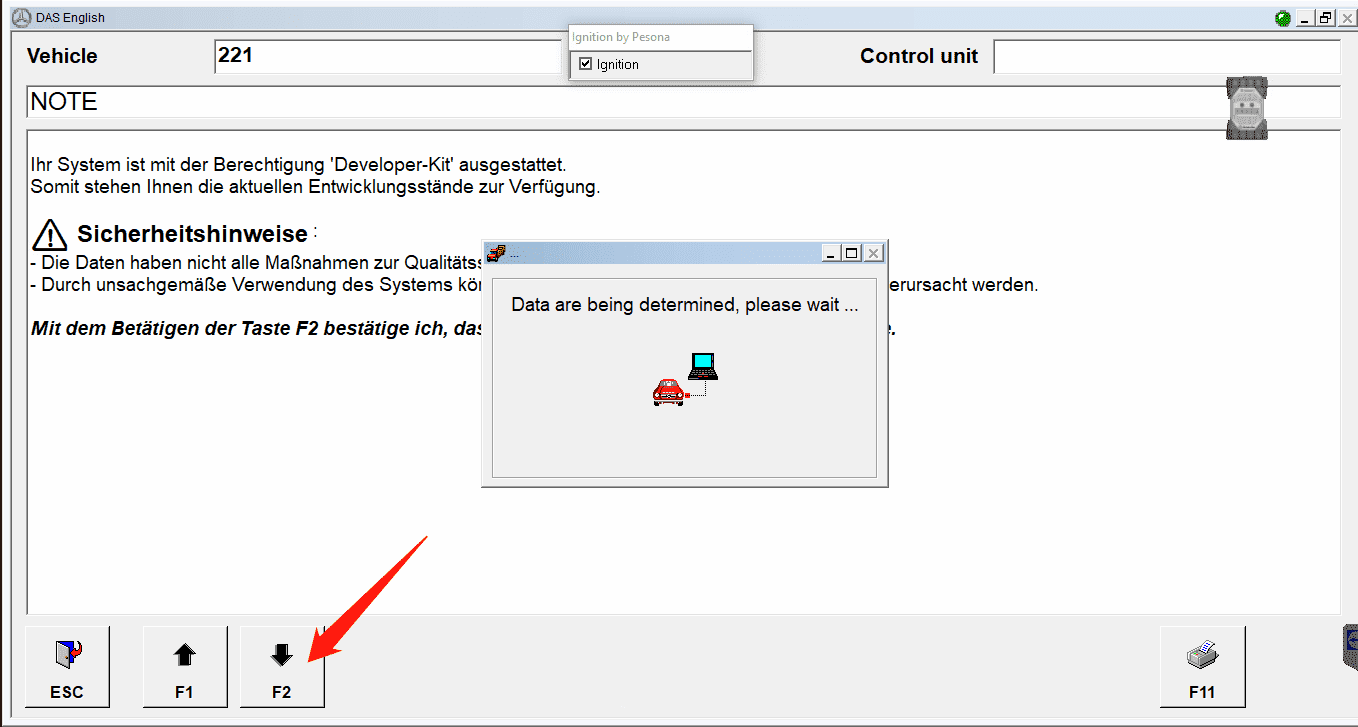
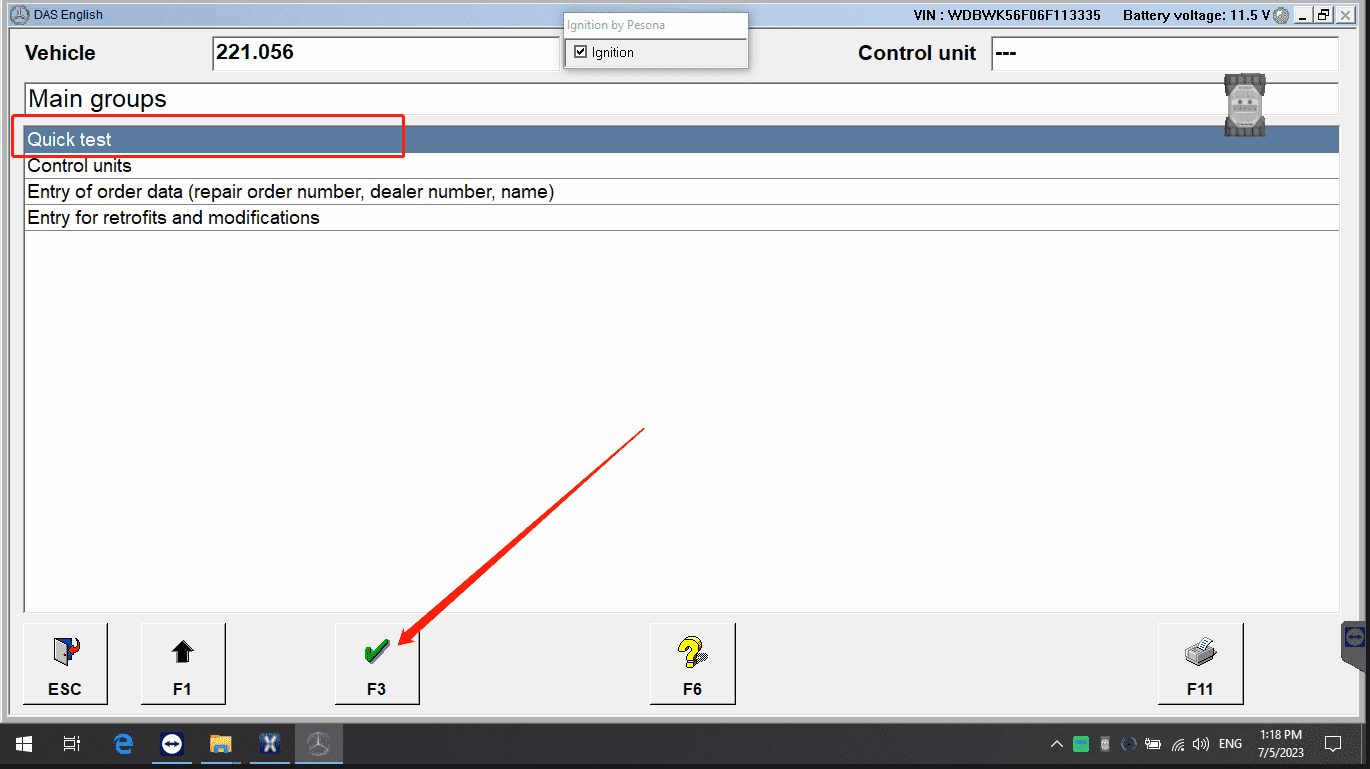
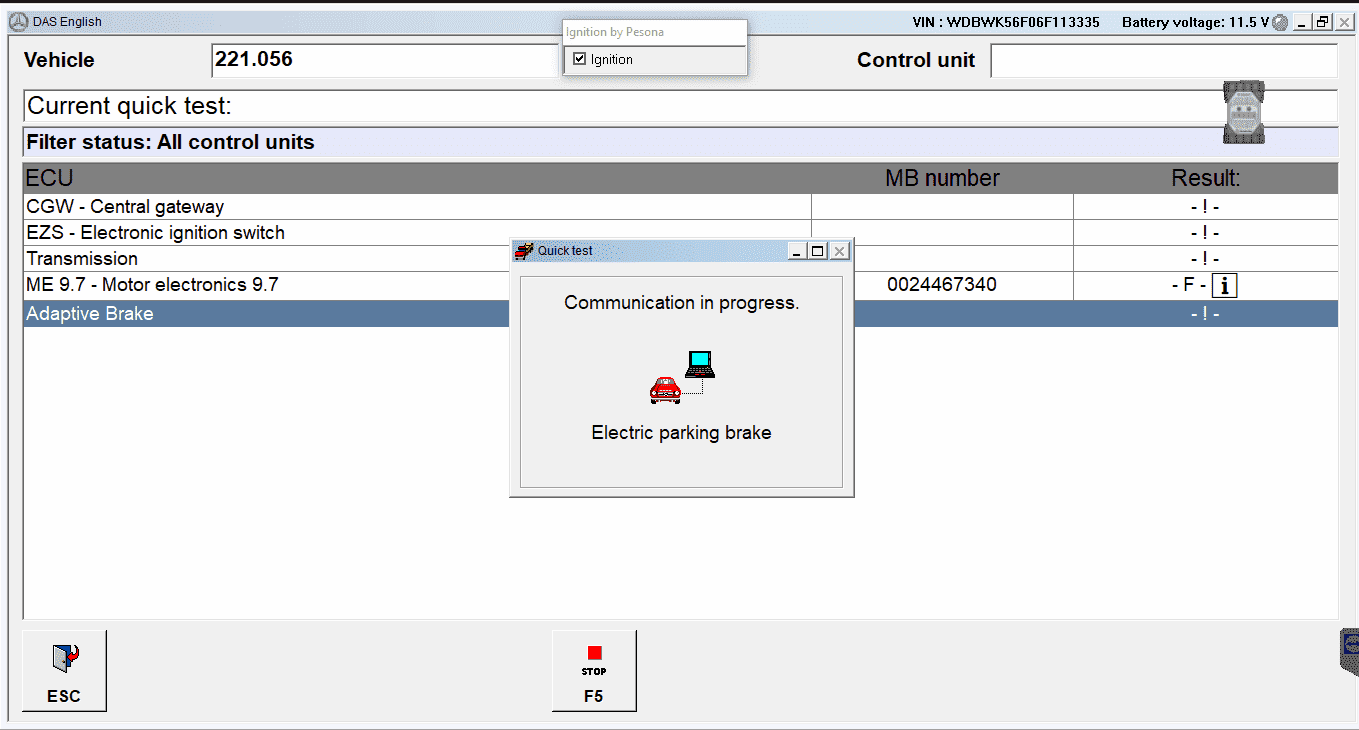
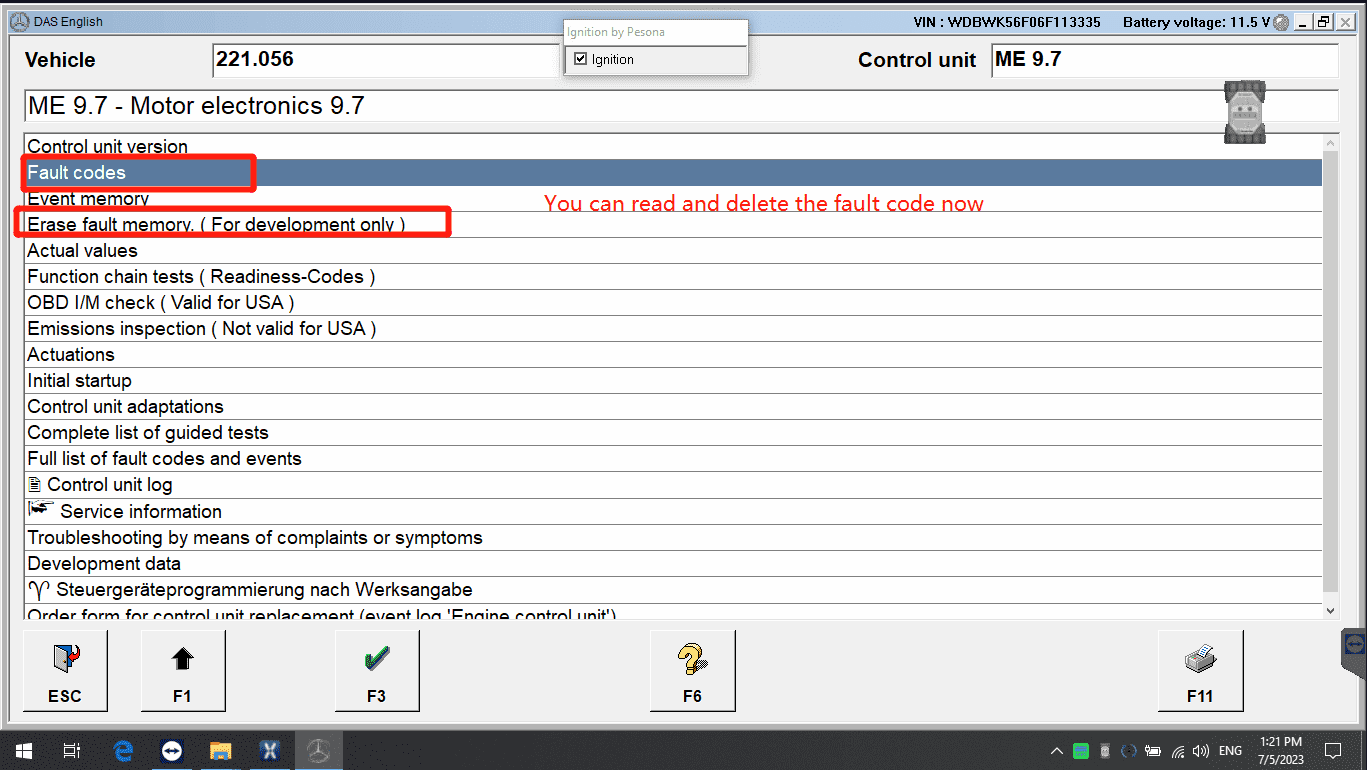
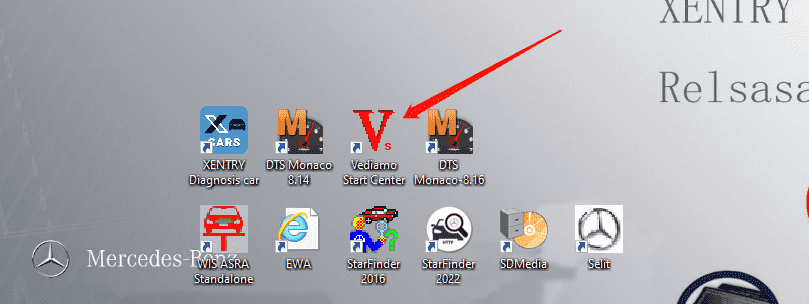
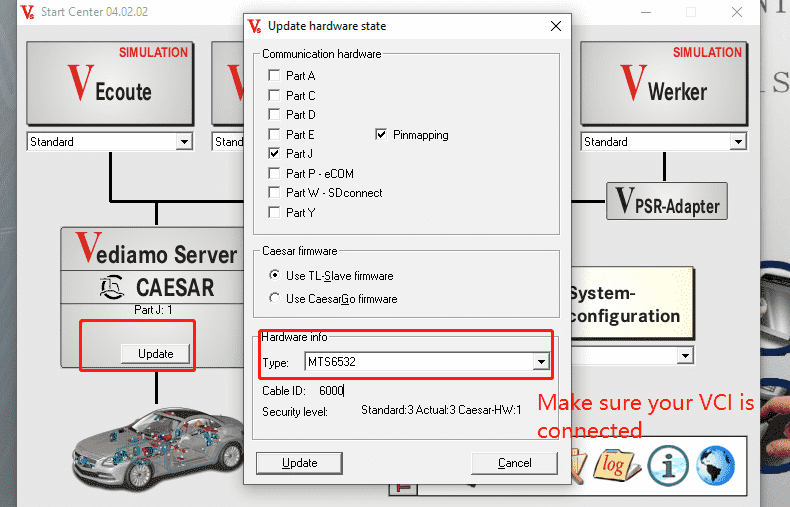
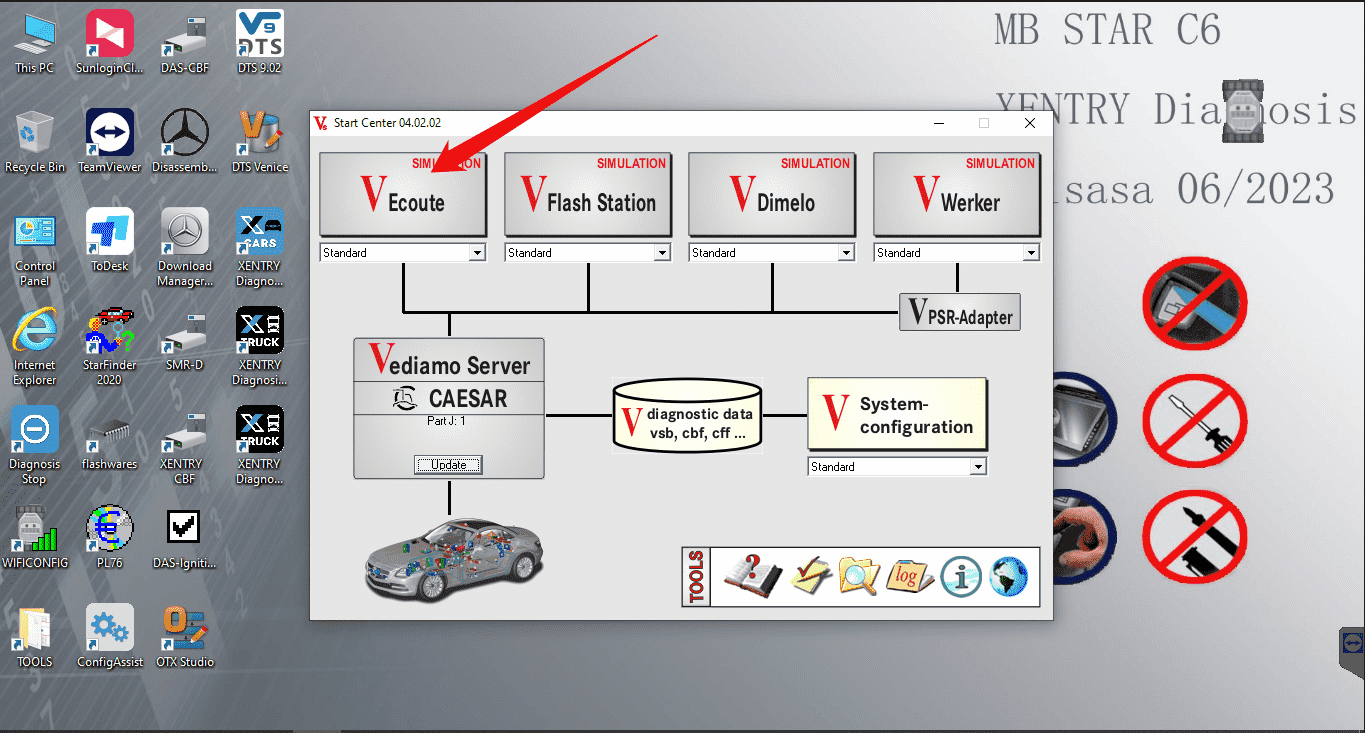
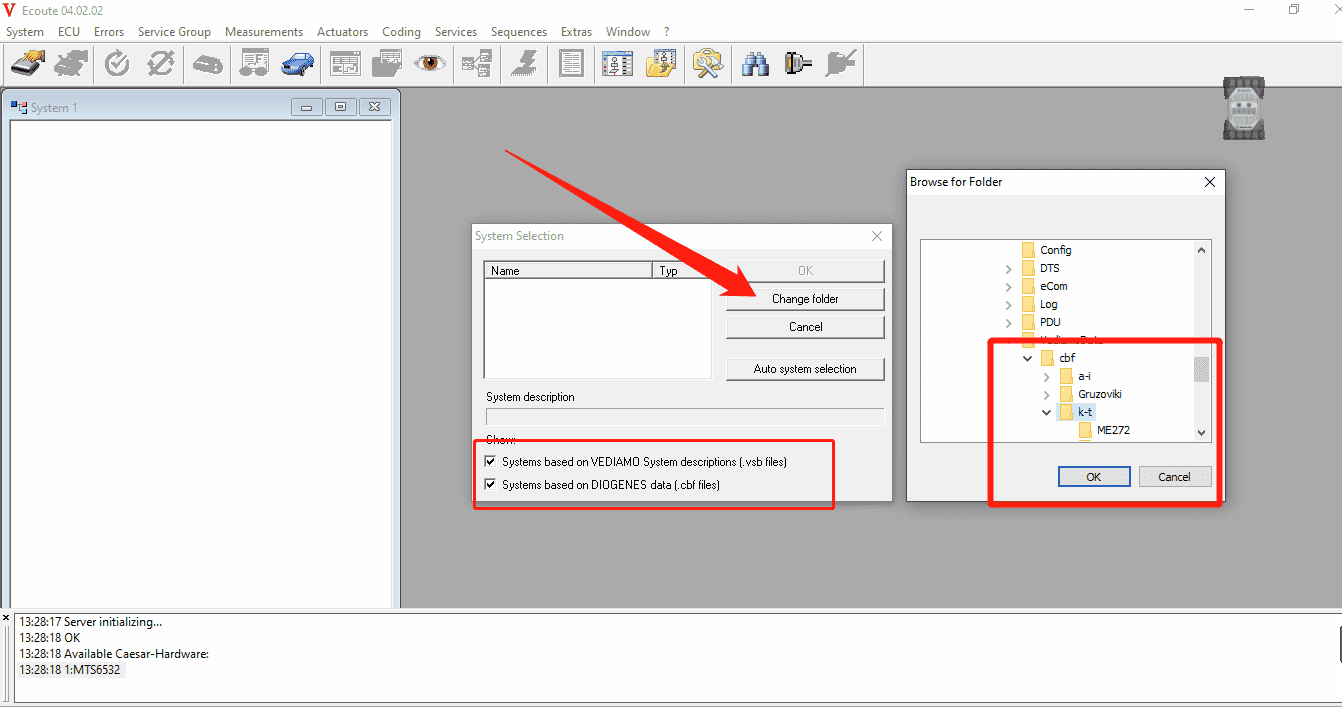
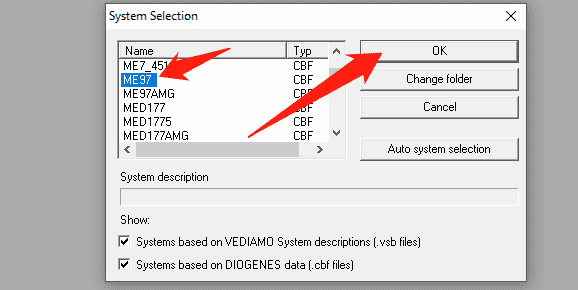
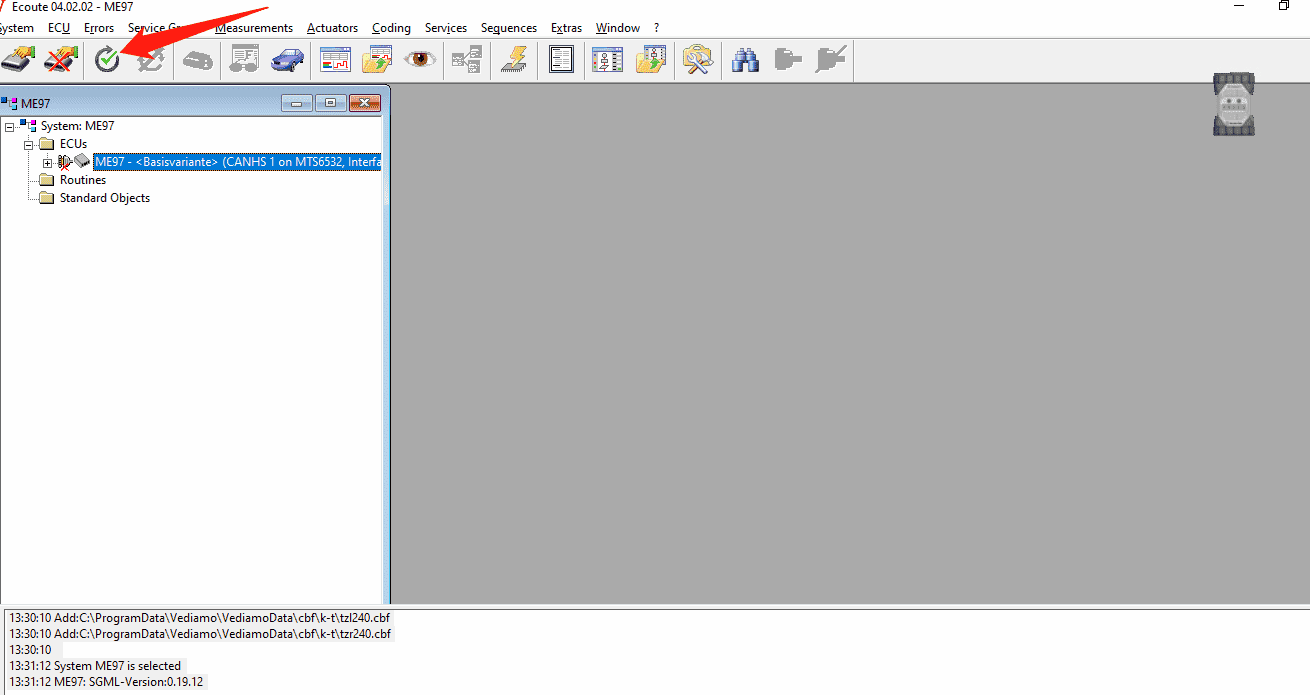
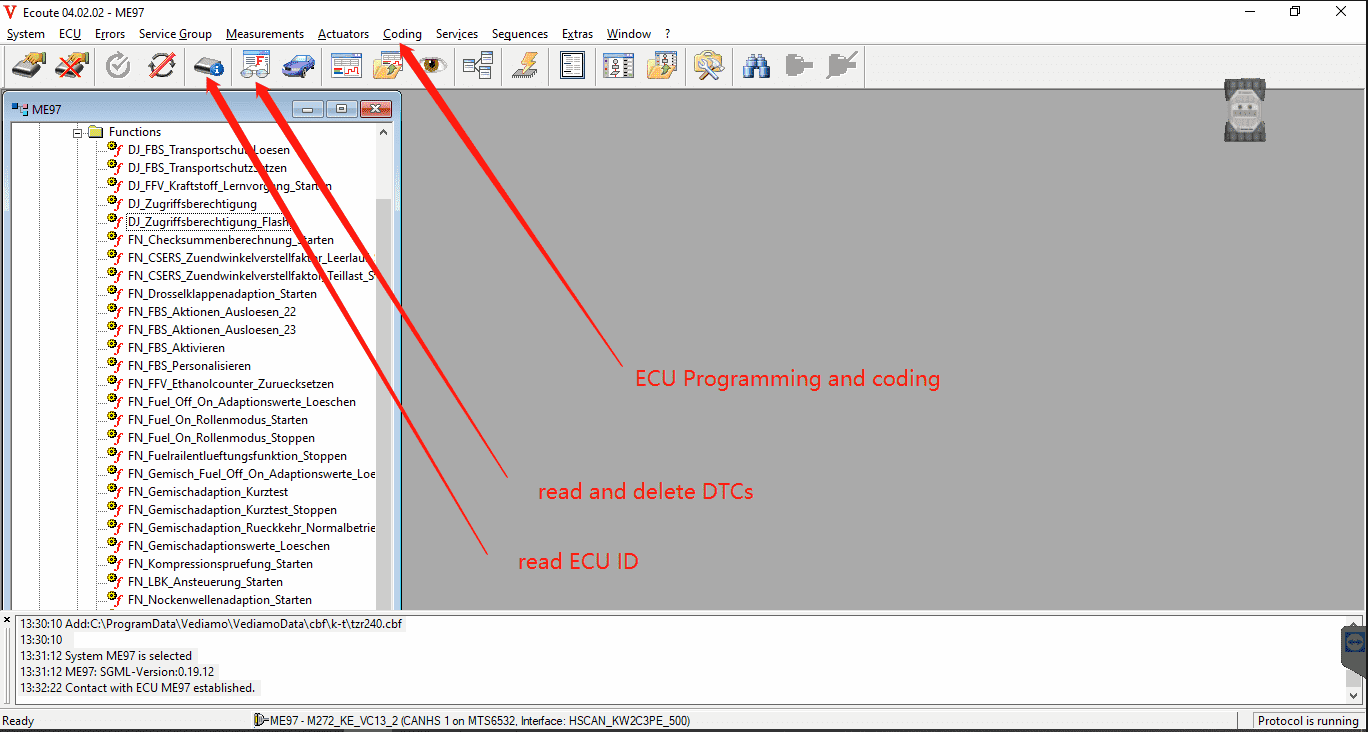
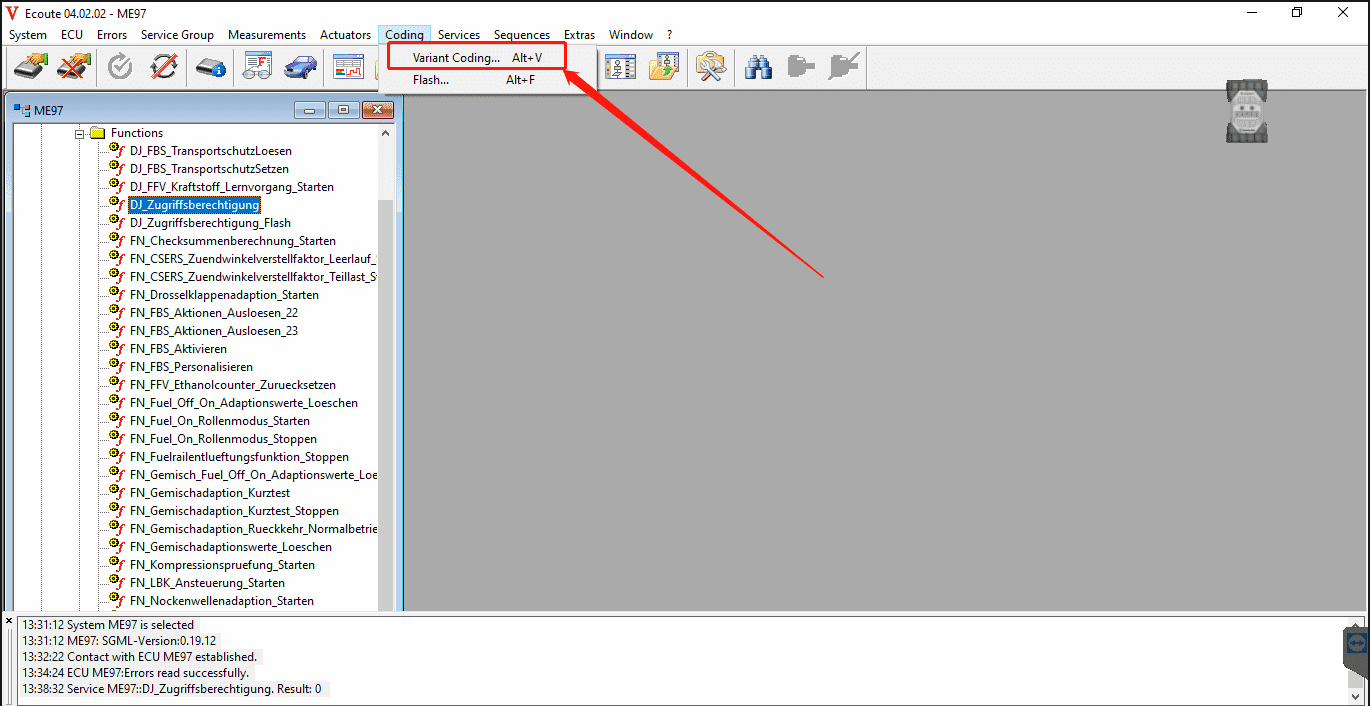
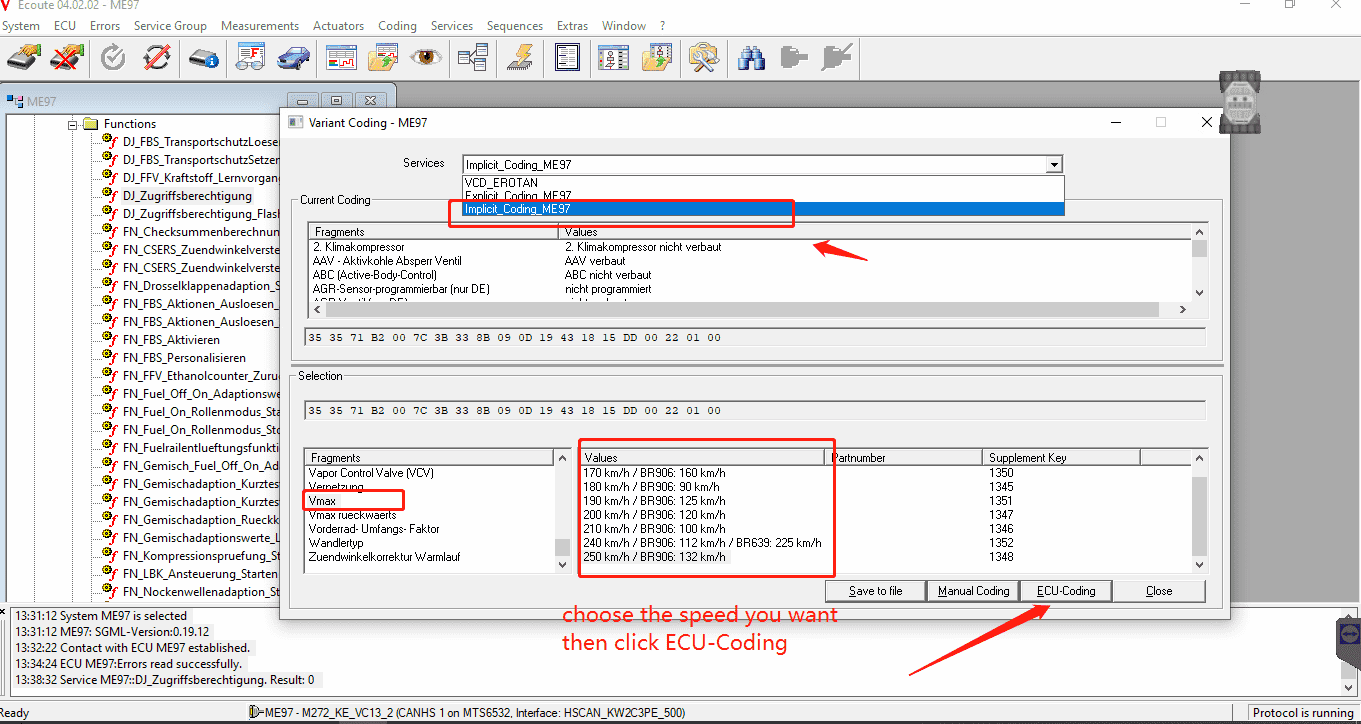
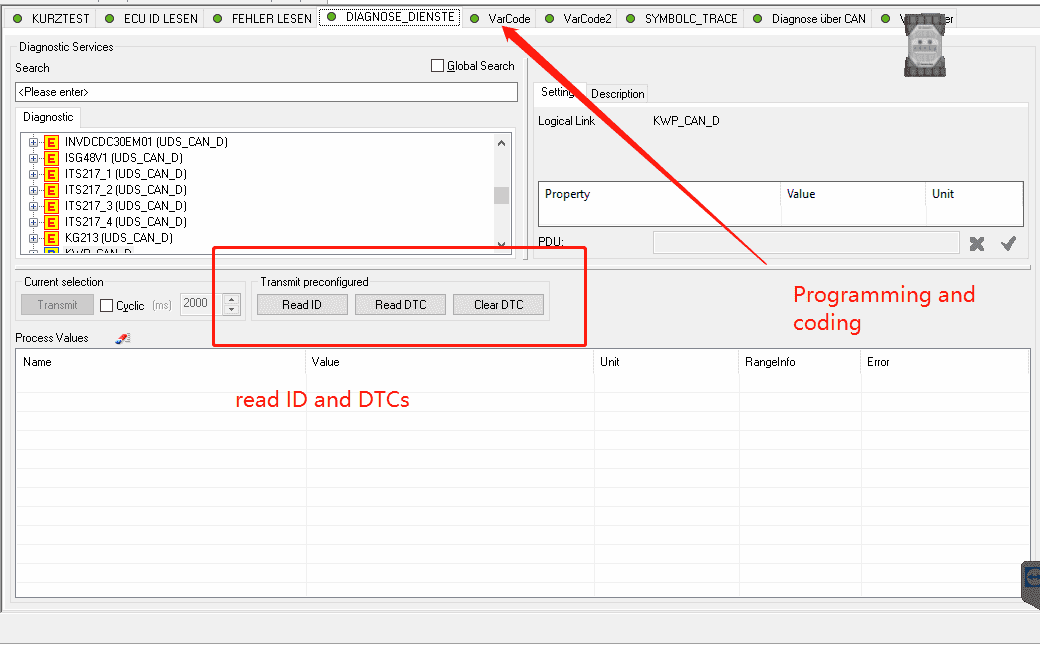
3. DTS Monaco Usages : did not support car model of CBF files. Once for CBF files model were required, please use Vediamo program
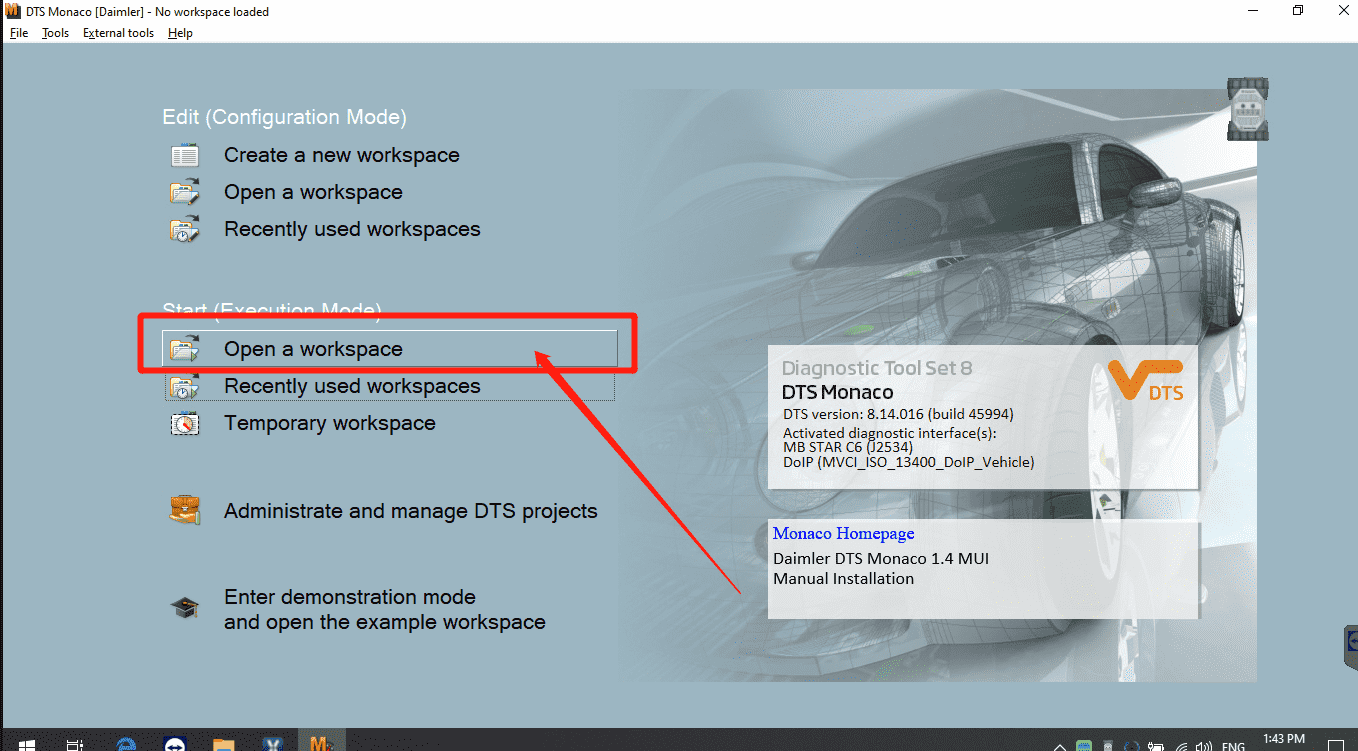
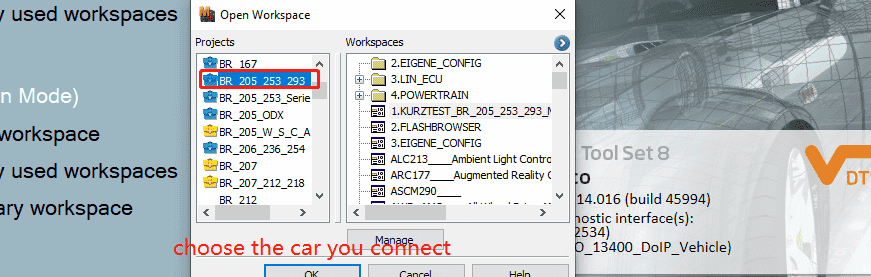
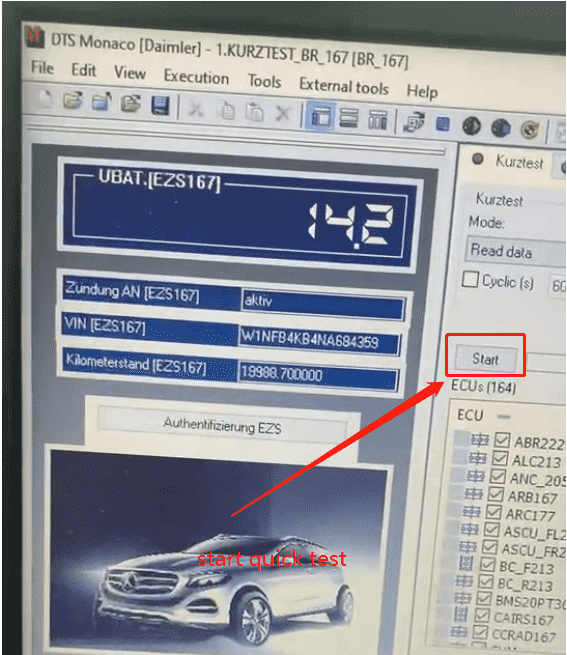
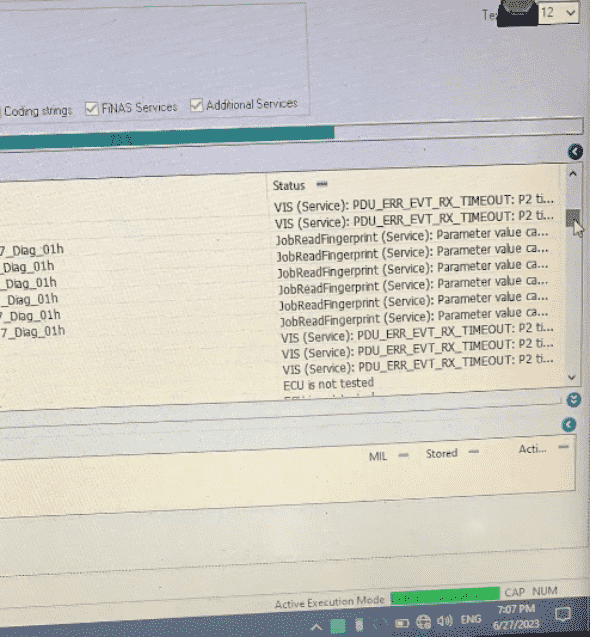
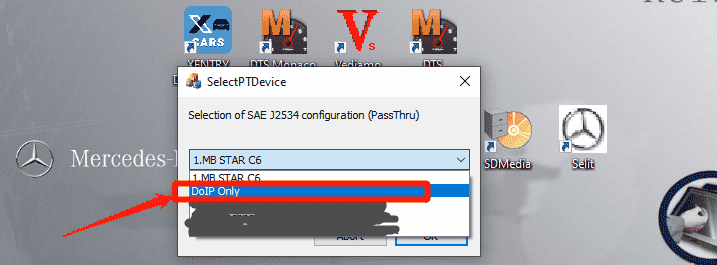
Wcan see DoIP ECU working is available once model was supporting this function from picture.
3. MB STAR C6 takes about 20 seconds to wait during the wireless was setting up after car has been connecting. Wireless will connect after Power light On .
Conclusion
- Company Info
- Feedback
- Customer Reviews
- About Us
- Contact Us
- News
- User Center
- Forget Password
- My Orders
- Tracking Order
- My Account
- Register
- Payment & Shipping
- Customs & Taxes
- Locations We Ship To
- Shipping Methods
- Payment Methods
- Company Policies
- Return Policy
- Privacy Policy
- Terms of Use